
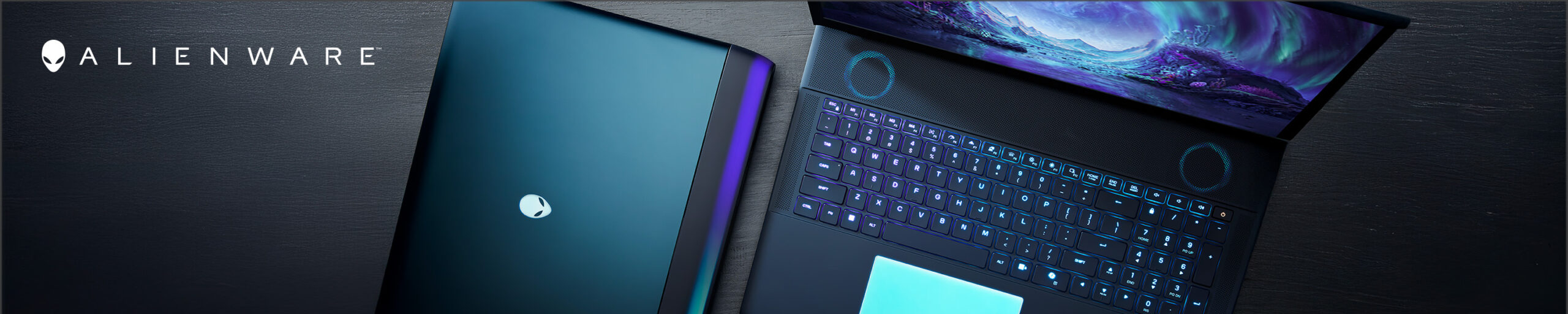
Alienware Black Friday shopping can go wrong in a surprisingly expensive way.
You find a heavily discounted gaming laptop, then realize you wanted the better OLED display.
You buy the most powerful Area-51 desktop you can afford, then connect it to an aging 60Hz monitor.
Or you spend hundreds on matching Alienware accessories while the graphics card—the component doing most of the gaming work—gets pushed down a tier.
The better approach for Black Friday 2026 is to treat Alienware as a complete gaming budget.
Decide where the money should go first:
The gaming PC or laptop
The monitor
The controls and audio
Then look for the discount.
Black Friday 2026 prices have not been announced. Any promotion you see before the event is a current deal, not a confirmed future Black Friday offer.
First: Decide Where the Gaming PC Lives
Alienware’s current hardware falls into two very different camps.
It travels
Start with:
- Alienware 16 Aurora
- Alienware 16X Aurora
- Alienware 16 Area-51
- Alienware 18 Area-51
It stays on the desk
Start with:
- Alienware Aurora Gaming Desktop
- Alienware Area-51 Gaming Desktop
That distinction matters more than any specification.
A desktop gives you far more freedom with thermals, component power and future hardware changes.
A laptop gives you a display, keyboard, battery and gaming PC in one machine you can actually move.
Do not pay a portability premium if the machine will spend its entire life beside the same monitor.
The Alienware Laptop Ladder Is About More Than Price
Alienware’s 2026 laptop family now has clearer levels.
Think of them this way:
| What you want | Alienware to watch |
|---|---|
| Lower-cost entry into Alienware | Alienware 16 Aurora |
| Premium OLED without the huge Area-51 chassis | Alienware 16X Aurora |
| Maximum-performance 16-inch laptop | Alienware 16 Area-51 |
| Desktop-replacement gaming machine | Alienware 18 Area-51 |
The best Black Friday offer is the one that lands in the right level.
Budget Layer 1: Alienware 16 Aurora
The model to watch when you want the Alienware experience without flagship pricing
The Alienware 16 Aurora is the accessible current 16-inch model.
Depending on configuration, Dell offers it with Intel Core Series 2 processors and NVIDIA GeForce RTX laptop graphics extending through current RTX 50-series options.
The current display is a 16-inch WQXGA 2560 × 1600 panel running at 120Hz.
That makes this less about extreme enthusiast hardware and more about getting a balanced gaming laptop into the Alienware family.
Potential Black Friday buyers should pay especially close attention to configurations using:
- GeForce RTX 5050
- GeForce RTX 5060
- GeForce RTX 5070
- 16GB versus 32GB memory
- 512GB versus 1TB storage
Those differences matter much more than the size of the percentage-off badge.
Alienware 16 Aurora Gaming Laptop — Check Price on Amazon
The configuration trap
A search result saying “Alienware 16 Aurora” does not tell you enough.
Two laptops with the same exterior name can have significantly different GPUs.
For gaming, that GPU difference may matter more than a processor upgrade.
Always read the complete configuration before comparing prices.
Budget Layer 2: Alienware 16X Aurora
Spend more on the screen before jumping to Area-51
The Alienware 16X Aurora occupies an interesting part of the lineup.
Current 2026 configurations pair Intel Core Ultra HX Plus processors with GeForce RTX 5070 laptop graphics and a much more premium 16-inch 2560 × 1600 OLED display running at 240Hz.
That makes the 16X attractive for somebody who cares about the quality of the laptop itself—not simply maximum GPU performance.
OLED brings:
- extremely deep blacks
- very fast pixel response
- high contrast
- strong HDR potential
- excellent visual impact in dark games
The 240Hz refresh rate also gives it considerably more high-refresh capability than the standard Aurora.
Alienware 16X Aurora Gaming Laptop — Check Price on Amazon
Who should choose 16X Aurora?
Someone who wants a premium self-contained gaming laptop but does not need to jump all the way to RTX 5080 or RTX 5090-class Area-51 configurations.
Budget Layer 3: Alienware 16 Area-51
This is where “laptop” starts behaving more like “portable desktop”
The Alienware 16 Area-51 is the performance-first 16-inch model.
Current configurations use the Intel Core Ultra 9 290HX Plus and can scale through NVIDIA GeForce RTX 50-series laptop GPUs, including:
- RTX 5070
- RTX 5080
- RTX 5090
The display is a 16-inch WQXGA OLED running at 240Hz.
Higher GPU configurations also receive higher-bandwidth connectivity, and the machine is designed around substantially more ambitious cooling and power requirements than the regular Aurora.
Alienware 16 Area-51 Gaming Laptop — Check Price on Amazon
The important Black Friday comparison
Do not simply compare:
16X Aurora vs 16 Area-51
Compare:
RTX 5070 16X Aurora
against
the exact Area-51 GPU configuration on sale.
The whole reason to move to Area-51 is to access a higher performance ceiling.
If both sale configurations use similar graphics hardware, the value equation becomes much more nuanced.
Budget Layer 4: Alienware 18 Area-51
The machine for buyers who stop pretending portability is the priority
The Alienware 18 Area-51 is enormous by laptop standards.
That is part of the point.
Its current 18-inch WQXGA display runs at up to 300Hz, while GPU configurations range through GeForce RTX 5070, 5070 Ti, 5080 and 5090.
Dell also offers:
- up to 64GB DDR5 memory on current configuration options
- multiple high-capacity SSD configurations
- Wi-Fi 7
- HDMI 2.1
- Thunderbolt connectivity
- optional CherryMX ultra-low-profile mechanical keyboard
- a 96Wh battery
But an 18-inch flagship gaming machine should be considered a desktop replacement, not a casual travel laptop.
Alienware 18 Area-51 Gaming Laptop — Check Price on Amazon
Look at the complete carrying weight
The laptop itself can approach 10 pounds depending on configuration.
High-end versions also need a substantial power adapter.
If you regularly commute with your computer, that belongs in the buying decision just as much as frame rates.
Laptop Rule: Buy the GPU You Cannot Upgrade Later
Memory and storage may have different upgrade possibilities depending on the model.
The GPU does not work like a desktop graphics card.
That means a Black Friday gaming-laptop decision should normally prioritize:
- GPU
- display
- CPU
- memory
- SSD capacity
The order can change for specialized workloads, but for a gaming-first Alienware laptop, do not save $200 on the GPU and then spend $200 upgrading storage you could have handled later.
Now Move to the Desktop Side
Alienware currently gives desktop buyers two very different concepts.
Aurora
Smaller, simpler and aimed at a broader gaming audience.
Area-51
Large, high-end and designed around far more aggressive hardware.
This is not merely a good/better comparison.
They occupy very different physical and financial spaces.
Alienware Aurora Gaming Desktop
Spend on the GPU, not the badge
The current Alienware Aurora is the sensible entry point for someone who wants an Alienware desktop without turning the purchase into a workstation-sized project.
Current configurations use Intel Core Ultra processors with GeForce RTX graphics.
Depending on Dell’s available configuration, buyers can find combinations around current GPUs such as the RTX 5060 and RTX 5060 Ti, with higher options available within the family.
Alienware Aurora Gaming Desktop — Check Price on Amazon
What to prioritize during Black Friday
For two similarly priced Aurora systems, I would compare in this order:
GPU first.
Then:
- 16GB vs 32GB RAM
- SSD capacity
- power-supply specification
- CPU
- cooling configuration
It is very easy for an expensive CPU upgrade to look more impressive on a specification sheet while producing less gaming benefit than moving up a graphics tier.
Alienware Area-51 Desktop: Intel or AMD?
This is one of the more interesting Alienware choices in 2026.
Dell currently sells the flagship desktop in both Intel and AMD configurations.
That means you no longer have to choose Area-51 first and simply accept one processor platform.
You can choose the workload too.
Intel Alienware Area-51
Current Intel configurations can use processors including the Core Ultra 9 285K, with graphics reaching the GeForce RTX 5090.
Dell’s large chassis supports high-end cooling and power configurations, including models with 1500W Platinum-rated power supplies and 360mm liquid cooling.
It also provides multiple M.2 slots, extensive USB connectivity, Thunderbolt 4 and 2.5Gb Ethernet.
Alienware Area-51 Intel Gaming Desktop — Check Price on Amazon
This is the Alienware to consider when your goal is not “a gaming PC.”
It is:
a very high-end gaming PC that happens to arrive assembled.
AMD Alienware Area-51
One of Alienware’s biggest 2026 changes
The AMD version of the Area-51 now uses the Ryzen 9000 family and can be configured with processors including:
- AMD Ryzen 7 9700X
- AMD Ryzen 7 9800X3D
- AMD Ryzen 7 9850X3D
- AMD Ryzen 9 9950X3D
- AMD Ryzen 9 9950X3D2
Graphics options reach NVIDIA GeForce RTX 5090.
That gives gamers access to AMD’s X3D processors inside Alienware’s flagship desktop instead of requiring a custom build.
Alienware Area-51 AMD Ryzen Gaming Desktop — Check Price on Amazon
The Ryzen 7 vs Ryzen 9 question
If the computer is primarily for gaming, do not assume Ryzen 9 is automatically worth the additional cost.
Ryzen 7 X3D processors are designed around gaming performance.
Ryzen 9 becomes much easier to justify when the same PC also handles:
- rendering
- heavy video production
- large software builds
- content creation
- other heavily threaded work
Use the saved CPU money for the GPU when gaming is the main job.
Don’t Buy an RTX 5090 Alienware Before Looking at the Monitor
This is where the Alienware ecosystem becomes useful.
A powerful computer and a premium display should be budgeted together.
If your current monitor is 1080p/60Hz, an extreme flagship GPU may be solving a problem your display cannot show.
There are several much more logical Alienware monitor pairings.
Display Pairing 1: High-End 4K Gaming
Alienware 27 4K QD-OLED AW2725Q
The Alienware AW2725Q remains one of the most important premium displays in the lineup.
It combines:
- 27-inch QD-OLED
- 3840 × 2160
- 240Hz refresh
- 0.03ms response
- HDMI 2.1
- DisplayPort
- adaptive sync
This is a natural pairing with a high-end Alienware desktop or powerful Area-51 laptop when you want both 4K clarity and very high refresh.
Alienware 27 4K QD-OLED Gaming Monitor AW2725Q — Check Price on Amazon
The GPU requirement is significant.
Do not buy 4K/240Hz because 240 is larger than 165.
Buy it because the gaming hardware and games you use can benefit from that combination.
Display Pairing 2: QHD OLED Without 4K GPU Pressure
Alienware 27 240Hz QD-OLED AW2726DM
The Alienware AW2726DM is a newer 2026 option that takes a different approach.
Instead of 4K, it uses:
- 2560 × 1440
- 240Hz
- QD-OLED
- 27-inch format
QHD significantly reduces GPU load compared with 4K while still providing strong desktop and gaming sharpness at 27 inches.
That can make it a more balanced match for RTX 5060 Ti, RTX 5070 and similar gaming configurations.
Alienware 27 240Hz QD-OLED Gaming Monitor AW2726DM — Check Price on Amazon
Display Pairing 3: Ultrawide Instead of 4K
Alienware 34 280Hz QD-OLED AW3426DW
The Alienware AW3426DW is one of Alienware’s more significant 2026 monitor additions.
It combines:
- 34-inch curved QD-OLED
- 3440 × 1440 ultrawide resolution
- 280Hz refresh
- 0.03ms response
- HDMI 2.1-class connectivity
- FreeSync Premium Pro
- G-SYNC compatibility
The extra horizontal space changes the experience more than simply moving from 27 inches to 34 inches.
Supported games become more immersive, and outside gaming the width is useful for multitasking.
Alienware 34 280Hz QD-OLED Gaming Monitor AW3426DW — Check Price on Amazon
This is the display to consider when the choice is not “QHD or 4K?”
It is:
16:9 or ultrawide?
What About the Alienware AW3225QF?
The Alienware 32 4K QD-OLED AW3225QF remains relevant for buyers who want a physically larger 4K OLED screen.
Its 32-inch curved 4K panel runs at up to 240Hz.
That gives it a different role from the more compact AW2725Q.
Alienware 32 4K QD-OLED Gaming Monitor AW3225QF — Check Price on Amazon
Black Friday may make the older AW3225QF particularly interesting if its price falls well below newer models.
Do not remove a proven previous-wave product simply because a newer Alienware monitor exists.
Price determines whether it becomes clearance value.
Finish the Setup Only After the PC and Display Are Right
Alienware peripherals are appealing because the entire desk can share the same design language.
That does not mean the keyboard should steal money from the graphics card.
Accessories come last.
Alienware Pro Wireless Gaming Keyboard
The Alienware Pro Wireless Gaming Keyboard uses a compact 75% layout and supports:
- 2.4GHz wireless
- Bluetooth
- wired USB-C
- hot-swappable switches
- Alienware linear mechanical switches
- PBT double-shot keycaps
- per-key AlienFX RGB
- onboard memory
A 75% layout retains key functionality while taking less horizontal desk space than a full-size board.
That also leaves more mouse room for low-sensitivity gaming.
Alienware Pro Wireless Gaming Keyboard — Check Price on Amazon
Do you need it?
Buy a premium keyboard for:
- feel
- layout
- switch preference
- wireless convenience
- build quality
Not because it increases FPS.
Alienware Pro Wireless Gaming Mouse
The Alienware Pro Wireless Gaming Mouse is designed much more directly around competitive play.
Dell specifies:
- weight below 60g
- 26,000 DPI sensor
- up to 4KHz wireless polling
- up to 8KHz wired polling
- six programmable buttons
- rechargeable battery
Alienware Pro Wireless Gaming Mouse — Check Price on Amazon
For a mouse, shape matters enormously.
An impressive sensor does not compensate for a shape that does not suit your grip.
If you already own a mouse that fits perfectly, replacing it purely to match the Alienware logo may make your setup worse.
Alienware Pro Wireless Gaming Headset
The Alienware Pro Wireless Gaming Headset is the premium audio option in the current range.
Dell equips it with:
- 50mm graphene-coated drivers
- hybrid active noise cancellation
- dual-microphone AI noise cancellation
- Bluetooth
- wireless gaming connectivity
- Hi-Res Audio support
Alienware Pro Wireless Gaming Headset — Check Price on Amazon
This makes the most sense for players who use one headset for both gaming and general listening.
Alienware AW725H: Spend Less on the Headset
The Alienware Tri-Mode Wireless Gaming Headset AW725H gives buyers another path.
It supports:
- 2.4GHz wireless
- Bluetooth
- wired use
- 40mm drivers
- Dolby Atmos
- retractable microphone
- AlienFX lighting
It lacks some of the Pro headset’s premium features but may represent much better value when discounted.
Alienware Tri-Mode Wireless Gaming Headset AW725H — Check Price on Amazon
This is exactly the type of Black Friday comparison where buying the “second-best” product can save enough money to improve something much more important elsewhere in the setup.
How I Would Allocate a $2,000 Alienware Budget
Do not copy these numbers literally. The point is the order of priorities.
Gaming laptop setup
Put the overwhelming majority toward the laptop.
Use your existing mouse or headset initially if necessary.
The GPU cannot be upgraded later.
The mouse can.
Desktop setup
Reserve money for:
- desktop
- monitor
- keyboard/mouse only if needed
Do not spend nearly the entire budget on a tower if the only display available afterward is unsuitable for the hardware.
Existing Alienware owner
If the PC is still fast enough, Black Friday may be better used on:
- monitor
- storage
- mouse
- keyboard
- headset
instead of replacing the computer.
A new QD-OLED display can transform an existing gaming setup without requiring a new GPU or CPU.
The Specification That Matters Most Changes by Product
Alienware spans enough categories that there is no universal “best spec.”
Laptop
GPU and display.
Desktop
GPU, then total configuration.
Monitor
Resolution, refresh rate and panel type.
Mouse
Shape and weight.
Keyboard
Layout and switches.
Headset
Comfort, microphone and wireless behavior.
Comparing every product using the same “bigger number wins” logic is a good way to overspend.
How to Read Alienware Laptop Deals on Amazon
Amazon search pages can mix several configurations under similar titles.
Never stop at:
Alienware 16
or:
Alienware Area-51
Verify the complete line.
Especially check:
GPU
RTX 5060, 5070, 5080 and 5090 laptops are dramatically different purchases.
Display
A 120Hz LCD and 240Hz OLED should not be priced as though they are equivalent.
RAM
16GB may be enough for many games, but premium configurations increasingly make 32GB more comfortable for multitasking and creation.
SSD
Do not overpay for storage if the machine offers reasonable upgrade options.
Seller
High-end gaming laptops are expensive. Marketplace seller quality, return conditions and warranty handling matter.
Why an RTX 5090 Laptop Is Not an RTX 5090 Desktop
The names are similar.
The products are not interchangeable.
Laptop GPUs operate within completely different power and thermal limits from their desktop counterparts.
Do not compare an RTX 5090 Area-51 laptop directly with an RTX 5090 Area-51 desktop based on model name alone.
The laptop gives you portability.
The desktop gives the GPU much more room for power and cooling.
They solve different problems.
Should You Buy Alienware Direct From Dell or Amazon?
Compare both.
Amazon can be attractive when:
- the exact configuration is stocked
- delivery is fast
- an Amazon promotion is better
- you prefer Amazon’s shopping workflow
Dell can be attractive when:
- you want to configure the machine
- Amazon does not stock the exact GPU/RAM/SSD combination
- Dell has a direct promotion
- customization matters
For this Craob article, the Amazon links use resilient U.S. searches because individual Alienware configurations and ASINs can change frequently.
Don’t Treat Today’s Sale as Black Friday
Alienware products frequently move in and out of Dell and Amazon promotions throughout the year.
A $300 discount visible in September is a September promotion.
It is not evidence that the product will receive:
- the same discount
- a larger discount
- any discount
on Black Friday.
That is why this page should identify the products worth watching, not invent November prices in advance.
Alienware Black Friday 2026 FAQ
Which Alienware laptop should most buyers start with?
The Alienware 16 Aurora is the sensible entry point for someone who wants current Alienware hardware without paying for the premium Area-51 platform. Buyers prioritizing OLED and a stronger overall display experience should compare the 16X Aurora.
What’s the difference between Alienware 16X Aurora and 16 Area-51?
The 16X Aurora emphasizes a premium 16-inch OLED setup with current Core Ultra HX Plus hardware, while Area-51 opens the door to substantially higher GPU configurations, including RTX 5080 and RTX 5090 options.
Is Alienware 18 Area-51 portable?
Technically, yes—it is a laptop. Practically, it is a large desktop-replacement gaming machine. Buyers should consider both the machine and its power adapter before deciding it is suitable for frequent travel.
Should I buy Alienware Aurora or Area-51 desktop?
Aurora makes more sense when you want a more conventional prebuilt gaming system. Area-51 is designed for much higher-end configurations, larger cooling systems and GPUs reaching RTX 5090.
Does Alienware Area-51 come with AMD Ryzen?
Yes. Dell currently offers a separate AMD Area-51 desktop platform using Ryzen 9000 processors, including X3D configurations.
Can I get Ryzen 7 9850X3D in an Alienware desktop?
Dell’s current AMD Area-51 configurator includes Ryzen 7 9850X3D among its processor choices.
Which Alienware monitor should I buy for RTX 5070 gaming?
A QHD monitor such as the AW2726DM or ultrawide AW3426DW can create a more balanced target than assuming you need 4K. Actual game performance and settings still matter.
Which Alienware monitor suits a high-end RTX 5080 or RTX 5090 system?
The 4K/240Hz AW2725Q and AW3225QF become much easier to justify with very high-end graphics hardware, although game performance varies widely.
Is the Alienware AW3426DW new for 2026?
Yes, it is one of the newer current Alienware monitor models, combining 3440 × 1440 QD-OLED with a 280Hz refresh rate.
Are Alienware OLED monitors safe for normal desktop use?
OLED displays are designed for normal use, but static-content behavior and long-term panel care remain different considerations from LCD. Use Dell’s included panel-care features and consider your own balance of gaming, productivity and static desktop work.
Are Alienware peripherals worth buying just to match the PC?
Matching aesthetics alone are not a strong reason. A keyboard, mouse or headset should fit your ergonomic and performance preferences first.
Are Alienware Black Friday 2026 discounts already confirmed?
No. Current promotions should not be presented as confirmed Black Friday offers unless the retailer specifically identifies them as such.
Build the Alienware Setup in the Right Order
If Black Friday discounts everything on the desk, the temptation is to buy everything on the desk.
Resist it.
Start with the part you cannot easily change.
For a laptop, that is usually the GPU and display.
For a desktop, it is the overall performance configuration you actually need.
Then choose the monitor that allows that hardware to show what it can do.
Only after those decisions should the matching keyboard, mouse and headset compete for the remaining budget.
A complete Alienware setup can look excellent.
A well-balanced Alienware setup will actually play better.
For Black Friday 2026, balance the rig first.
Then hunt for the discounts.