
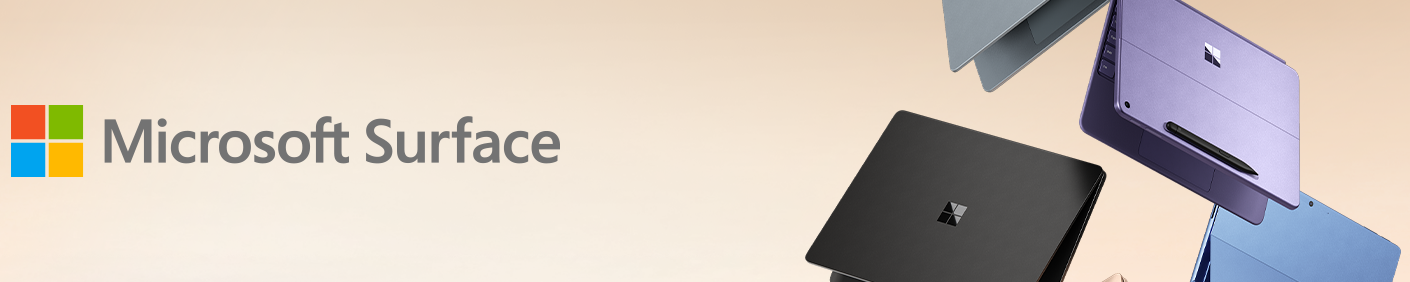
A Microsoft Surface deal can look cheaper than it really is.
That is especially true with Surface Pro.
The tablet may be discounted beautifully, but then you add the keyboard. Maybe the Slim Pen. Maybe a larger SSD configuration. Suddenly the “deal” costs hundreds more than the price that originally caught your attention.
Surface Laptop creates the opposite problem.
It already gives you the keyboard, trackpad and conventional laptop experience, so buyers sometimes spend extra on a Surface Pro because the tablet form factor looks more versatile—even though they will leave it attached to a keyboard 99% of the time.
For Microsoft Surface Black Friday Deals 2026, there is a better way to shop:
Price the Surface you will actually use, not the device shown in the first search result.
Black Friday 2026 pricing has not been announced. Any Amazon or Microsoft discount available before the event is a current promotion, not a confirmed future Black Friday offer.
Step One: Do You Actually Need a Detachable Screen?
This single question divides almost the entire Surface range.
Choose Surface Pro when you genuinely want:
- tablet use
- handwriting
- drawing
- a kickstand
- a detachable keyboard
- a very compact travel setup
- rear camera functionality
- the option to work without the keyboard
Choose Surface Laptop when you primarily want:
- typing
- lap use
- a rigid clamshell
- one-piece construction
- easier setup
- no separate keyboard purchase
If you already know the screen will never leave the keyboard, Surface Laptop deserves a very serious look before you buy Surface Pro.
The 2026 Surface Pro Choice Starts at 12 Inches
Microsoft Surface Pro 12-inch
The Surface Pro 12-inch remains Microsoft’s smallest and lightest current Surface Pro.
It uses the Snapdragon X Plus 8-core processor and weighs only about 1.5 pounds before the keyboard is attached.
Microsoft equips it with:
- 12-inch PixelSense touchscreen
- Snapdragon X Plus 8-core processor
- Qualcomm NPU
- Wi-Fi 7
- two USB-C ports
- up to 16GB memory
- up to 512GB storage
- front and rear cameras
This is the Surface Pro for someone prioritizing mobility over maximum performance.
Microsoft Surface Pro 12-inch Snapdragon X Plus — Check Price on Amazon
The important thing missing from that price
The keyboard.
The 12-inch Surface Pro uses its own Surface Pro 12-inch Keyboard.
That means you should calculate:
**Surface Pro 12-inch
- keyboard
- pen if needed**
before comparing it against a normal laptop.
Surface Pro 12-inch Keyboard
Microsoft’s dedicated 12-inch keyboard turns the small Surface Pro into a much more conventional mobile productivity machine.
Microsoft Surface Pro 12-inch Keyboard — Check Price on Amazon
Microsoft also sells a keyboard-and-Slim-Pen combination.
Microsoft Surface Pro 12-inch Keyboard with Slim Pen — Check Price on Amazon
Who should buy the 12-inch Surface Pro?
It makes particular sense for:
- students taking handwritten notes
- frequent flyers
- field workers
- people who read documents in tablet mode
- users who value low weight above screen size
- someone using a larger monitor at a desk
The 12-inch size is less attractive if this will be your only computer and you regularly work in spreadsheets, timelines or large side-by-side windows.
The New Main Surface Pro: 13-inch 12th Edition
Microsoft Surface Pro 13-inch (12th Edition)
The Surface Pro 13-inch 12th Edition is Microsoft’s major 2026 Surface Pro.
This generation moves to Snapdragon X2.
Depending on configuration, Microsoft offers:
Snapdragon X2 Plus
10 CPU cores and an LCD display.
Snapdragon X2 Elite
12 CPU cores and an OLED display.
Microsoft also specifies:
- up to 64GB LPDDR5x memory
- up to 1TB removable SSD
- Wi-Fi 7
- two USB-C / USB4 ports
- 1440p ultrawide front camera
- 10MP rear camera
- 13-inch touchscreen
- Qualcomm NPU rated at 80 TOPS
Microsoft Surface Pro 13-inch 12th Edition Snapdragon X2 — Check Price on Amazon
This is the Surface I would start with when somebody says:
“I want a tablet, but I don’t want my tablet to feel like a secondary computer.”
LCD or OLED Surface Pro?
The processor and display choices are tied closely enough that this becomes one of the major configuration decisions.
Surface Pro 13-inch with LCD
The Snapdragon X2 Plus configuration makes sense when:
- price matters
- office work dominates
- OLED is not important
- battery efficiency and productivity matter more than premium contrast
Surface Pro 13-inch with OLED
The Snapdragon X2 Elite OLED model makes more sense for:
- creative work
- movies
- photo viewing
- premium media consumption
- buyers who care strongly about black levels and contrast
- heavier performance requirements
Do not upgrade to OLED solely because it is the more expensive option.
If the Surface spends eight hours a day showing Excel, Outlook and browser windows, the display decision may be less important than RAM and storage.
Surface Pro Flex Keyboard Changes What “Detachable” Means
Microsoft Surface Pro 13-inch Flex Keyboard
The Surface Pro Flex Keyboard is one of Microsoft’s most interesting Surface accessories.
Unlike the standard Surface Pro keyboard, it can continue operating while detached from the tablet.
That means the screen can sit:
- farther away
- on a riser
- closer to eye level
- separately from the keyboard
while you continue typing.
Microsoft Surface Pro 13-inch Flex Keyboard — Check Price on Amazon
There is also a configuration with the Slim Pen.
Microsoft Surface Pro 13-inch Flex Keyboard with Slim Pen — Check Price on Amazon
But look at the accessory price
This is exactly why Surface deals should be evaluated as systems.
A Flex Keyboard plus Slim Pen is a premium accessory package.
Add it to a discounted Surface Pro and the complete price can climb quickly.
If you do not need detached keyboard operation, the standard keyboard may be the more rational purchase.
Microsoft Surface Pro 13-inch Keyboard
The regular keyboard remains the simpler way to convert Surface Pro into a laptop-style setup.
Microsoft Surface Pro 13-inch Keyboard — Check Price on Amazon
You can also find versions with pen storage or bundled Slim Pen.
Microsoft Surface Pro 13-inch Keyboard with Slim Pen — Check Price on Amazon
For many buyers, this is where the best Black Friday bundle could appear.
A modest Surface Pro discount combined with a large keyboard/pen discount may be a better overall purchase than the biggest discount on the tablet alone.
Now Ask the More Difficult Question: Do You Even Need Surface Pro?
If the answers are:
“I mostly type.”
“I never draw.”
“I rarely use tablets.”
“I work on my lap.”
then Surface Laptop may fit better.
Microsoft’s 2026 Surface Laptop range now has three distinct screen sizes.
Smallest Surface Laptop: 13-inch
Microsoft Surface Laptop 13-inch
The Surface Laptop 13-inch is the lightest current Surface Laptop.
It uses the Snapdragon X Plus 8-core processor and weighs about 2.7 pounds.
Its positioning is straightforward:
small, simple, portable Surface laptop.
Current specifications include:
- 13-inch touchscreen
- Snapdragon X Plus 8-core
- USB-C charging
- two USB-C ports
- USB-A
- headphone jack
- Wi-Fi connectivity
- configurations with 8GB or 16GB memory
Microsoft Surface Laptop 13-inch Snapdragon X Plus — Check Price on Amazon
Who should consider it?
Students.
Travelers.
Writers.
Office workers.
Someone who wants a premium small Windows laptop without paying for the new Snapdragon X2 models.
Be Careful With the 8GB Version
Microsoft offers some 13-inch configurations with 8GB memory.
That can still handle:
- basic web use
- documents
- streaming
But for a primary computer you expect to use for several years, 16GB is the more comfortable target.
It also matters for the full Copilot+ PC feature set.
A very large Black Friday discount on an 8GB model should therefore be judged against what you actually plan to do with the computer.
Cheap is useful only when the configuration remains useful.
The 2026 Sweet Spot: Surface Laptop 13.8-inch 8th Edition
Microsoft Surface Laptop 13.8-inch (8th Edition)
The new Surface Laptop 13.8-inch 8th Edition is one of the main 2026 Surface releases.
It moves to Snapdragon X2 processors and combines a premium laptop chassis with a larger screen than the entry 13-inch model.
Microsoft offers Snapdragon X2 Plus and higher configurations, with the new generation supporting substantially more memory and storage than the entry Surface Laptop.
The 13.8-inch model also comes in multiple finishes, including the newer Jade option.
Microsoft rates this generation for up to 20 hours of local video playback under its test conditions.
Microsoft Surface Laptop 13.8-inch 8th Edition Snapdragon X2 — Check Price on Amazon
This is probably the Surface Laptop most buyers should compare first
Why?
Because 13.8 inches sits in a useful middle ground.
It is larger than the ultra-portable 13-inch model without becoming a large 15-inch notebook.
For:
- general work
- travel
- school
- coding
- office productivity
- photo work
- everyday Windows use
that balance is often more valuable than either extreme.
The Larger Choice: Surface Laptop 15-inch 8th Edition
Microsoft Surface Laptop 15-inch (8th Edition)
The Surface Laptop 15-inch 8th Edition is the productivity-first large Surface.
This generation uses Snapdragon X2 Plus or X2 Elite processors depending on configuration.
Microsoft specifies:
- 15-inch touchscreen
- Snapdragon X2 processors
- up to 64GB memory
- up to 1TB removable SSD
- Wi-Fi 7
- USB-C / USB4
- USB-A
- microSDXC Express slot
- headphone jack
- Surface Connect
- up to 19 hours of local-video playback in Microsoft’s test
The 2026 model also receives a sharper display than the previous 15-inch Surface Laptop generation.
Microsoft Surface Laptop 15-inch 8th Edition Snapdragon X2 — Check Price on Amazon
Buy 15 inches for workspace, not specifications
The large-screen Surface Laptop is particularly good for:
- spreadsheets
- research
- coding
- documents side by side
- photo editing
- presentations
- anyone who dislikes working on small displays
Do not buy it merely because 15 is greater than 13.8.
A larger laptop also occupies more of:
- a backpack
- an airplane tray
- a café table
- your desk
The physical tradeoff matters.
13-inch vs 13.8-inch Is a Bigger Decision Than It Sounds
The names differ by less than one inch.
The products differ by more.
Choose Surface Laptop 13-inch when:
- minimum weight matters
- price matters
- everyday productivity is the priority
- Snapdragon X Plus performance is enough
Choose Surface Laptop 13.8-inch 8th Edition when:
- you want the newest Snapdragon X2 generation
- stronger performance matters
- you want a more premium display/workspace balance
- you need higher configuration ceilings
- you expect to keep the machine for several years
A strong Black Friday discount on the 13-inch model could make it outstanding value.
But do not compare screen sizes alone.
The Previous Surface Generation Is Still Worth Watching
Microsoft still sells the previous-generation Surface Pro and Surface Laptop models.
This is exactly the situation where Black Friday can make older hardware more interesting.
Clearance Target: Surface Pro 13-inch 11th Edition
Microsoft Surface Pro 13-inch (11th Edition)
The previous Surface Pro 11th Edition uses Snapdragon X Plus and X Elite processors.
Depending on configuration, it can include:
- 13-inch LCD or OLED
- Snapdragon X Plus or X Elite
- up to 64GB memory
- removable SSD
- compatible 13-inch Surface Pro keyboards
Microsoft Surface Pro 13-inch 11th Edition — Check Price on Amazon
The arrival of Snapdragon X2 does not suddenly make it a bad computer.
It changes the required price.
Black Friday rule
Compare the actual price difference against the new 12th Edition.
If it is small, buy the new model.
If retailers clear the 11th Edition aggressively, the older Snapdragon X generation can become much more compelling.
Clearance Target: Surface Laptop 13.8-inch 7th Edition
Microsoft Surface Laptop 13.8-inch (7th Edition)
The previous 13.8-inch Surface Laptop uses Snapdragon X Plus or X Elite processors.
It remains a premium Copilot+ PC and is still actively sold by Microsoft.
Microsoft Surface Laptop 13.8-inch 7th Edition — Check Price on Amazon
Its job in a 2026 article is no longer to be the automatic recommendation.
Its job is to undercut the 8th Edition.
Clearance Target: Surface Laptop 15-inch 7th Edition
The same logic applies to the Surface Laptop 15-inch 7th Edition.
Microsoft Surface Laptop 15-inch 7th Edition — Check Price on Amazon
A heavily discounted 7th Edition could be an excellent large productivity laptop.
Just compare:
- processor generation
- display
- memory
- storage
- actual checkout price
against the new Snapdragon X2 model.
Snapdragon Requires One Check Before You Buy
Current consumer Surface Pro and Surface Laptop models rely heavily on Qualcomm’s Snapdragon platform.
That brings important advantages in areas such as:
- battery efficiency
- integrated NPU performance
- quiet operation
- portability
Windows on Arm compatibility has improved enormously.
Many major Windows applications now run natively on Arm or through Microsoft’s emulation layer.
But specialized software deserves a check.
Before buying, verify anything you absolutely require, particularly:
- proprietary business software
- old drivers
- unusual USB hardware
- specialist engineering applications
- niche VPN/security software
- uncommon printer/scanner drivers
- low-level utilities
Most mainstream users may never encounter a problem.
A professional whose income depends on one obscure Windows application should check first rather than after Black Friday.
What If You Specifically Need Intel?
Microsoft has a separate answer in the Surface for Business lineup.
Surface Pro for Business with Intel Core Ultra Series 3
Microsoft’s 2026 business Surface Pro now offers Intel Core Ultra Series 3 processors.
That can make it important for organizations or professionals who require x86 compatibility rather than Snapdragon.
Microsoft Surface Pro for Business Intel Core Ultra — Check Price on Amazon
Surface Laptop for Business with Intel Core Ultra Series 3
Microsoft also sells current Surface Laptop for Business models with Intel Core Ultra Series 3.
Available form factors include:
- 13-inch
- 13.8-inch
- 15-inch
depending on configuration.
Microsoft Surface Laptop for Business Intel Core Ultra — Check Price on Amazon
These should not dominate a consumer Amazon Black Friday article because their pricing, Windows 11 Pro configuration and support model target a different audience.
But they matter when software compatibility or enterprise management is non-negotiable.
Consumer Snapdragon or Business Intel?
Think about the decision this way.
Consumer Snapdragon Surface
Best suited to buyers prioritizing:
- battery life
- portability
- current Copilot+ platform
- modern applications
- everyday productivity
Intel Surface for Business
Worth investigating when you need:
- Windows 11 Pro
- corporate deployment
- enterprise manageability
- maximum traditional x86 compatibility
- organization-specific security requirements
Do not pay a business premium simply because Intel feels more familiar.
And do not choose Snapdragon blindly if your job depends on specialist Windows software.
Surface Laptop Ultra: Important, But Not a Black Friday Deal Target Yet
Microsoft has also announced the Surface Laptop Ultra.
This is not an ordinary Surface Laptop.
Microsoft designed it for developers, creators and AI professionals, with:
- NVIDIA Blackwell RTX graphics
- full CUDA support
- up to 128GB unified memory
- up to 1 petaflop of AI compute
- 15-inch Mini LED touchscreen
- up to 2,000-nit peak HDR brightness
- HDMI
- USB-C
- USB-A
- SD card slot
- headphone jack
It is Microsoft’s most powerful Surface Laptop concept to date.
However, Microsoft still describes Surface Laptop Ultra as a pre-release product scheduled for later in 2026.
So it belongs on the Black Friday watchlist, not in a list pretending Amazon has already established normal stock and discounts.
Microsoft Surface Laptop Ultra — Check Availability on Amazon
If it launches before Black Friday, availability may matter far more than discounting.
Do not invent a sale expectation for a new flagship.
Surface Pro Buyers Should Make a Separate Accessory Budget
This is worth doing before Black Friday.
Write down:
Tablet
Your chosen Surface Pro.
Keyboard
Standard or Flex.
Pen
Only if you will genuinely use handwriting/drawing.
Mouse
Optional.
Dock
Only if your desk needs one.
Power supply
Check what is included with the exact Surface generation and retailer package.
That total is the number to compare against Surface Laptop.
Microsoft Surface Arc Mouse
The Surface Arc Mouse remains one of Microsoft’s most portable matching accessories.
Its collapsible design makes it easy to carry with a Surface in a small bag.
Microsoft Surface Arc Mouse — Check Price on Amazon
Do not buy it simply because it matches the laptop.
Mouse shape is personal.
If you already own a comfortable mouse, keep it.
Microsoft Surface Slim Pen
The Surface Slim Pen matters for the Surface buyer who actually intends to use:
- OneNote handwriting
- PDF annotation
- drawing
- sketching
- signatures
- diagramming
Microsoft Surface Slim Pen — Check Price on Amazon
If you never use a pen today, the fact that Surface supports one is not a reason to spend more.
Surface Keyboard 2nd Edition
For a docked desktop setup, Microsoft’s full-size Surface Keyboard 2nd Edition is another accessory worth monitoring.
Microsoft Surface Keyboard 2nd Edition — Check Price on Amazon
This becomes more relevant if your Surface spends significant time connected to an external monitor.
Black Friday Bundle Math: Surface Edition
Surface is one of the categories where bundles can genuinely change the winner.
Imagine:
Deal A
Surface Pro discounted by $250.
Keyboard full price.
Deal B
Surface Pro discounted by $150.
Keyboard and Slim Pen discounted by another $150.
Deal B may be substantially better if you planned to buy the accessories anyway.
That is why Craob should not evaluate Surface deals solely by the device discount.
Calculate the working configuration.
Don’t Overpay for Internal Storage Before Checking the Model
Several current premium Surface devices use removable SSD designs.
That improves serviceability and creates more flexibility than fully soldered storage.
But replacement is not necessarily as simple or officially intended as changing a conventional laptop’s user-accessible M.2 drive.
Check Microsoft’s repair/support guidance for the exact device before planning an aftermarket storage upgrade.
For many ordinary buyers, purchasing enough storage up front remains the simplest path.
How Much RAM Should a Surface Have in 2026?
8GB
Acceptable for basic use on selected entry configurations.
I would keep it mainly to:
- web
- documents
- simple streaming
- secondary-PC use
16GB
The best starting point for most buyers.
Suitable for:
- everyday work
- school
- multitasking
- photo work
- normal Copilot+ use
32GB
Worth considering for:
- development
- creative work
- larger datasets
- heavier multitasking
- long-term premium ownership
64GB
A specialized high-end configuration.
Buy it because your workloads can consume it—not simply because the configurator allows it.
256GB Storage Can Be the Wrong Place to Save
A Surface with 256GB can look attractively priced.
Then Windows, Microsoft 365, applications, OneDrive offline files, photos and downloads arrive.
For a primary computer, 512GB is a much more comfortable minimum for many buyers.
1TB makes sense for:
- large photo libraries
- video
- development
- local files
- users who avoid cloud storage
Again, Black Friday is about the complete configuration.
Don’t Buy Copilot+ Just for the Name
Current Surface devices emphasize Copilot+ PC functionality and local AI acceleration.
That hardware can enable Windows features and on-device AI workloads.
But the NPU number should not become the only reason to replace a computer.
Buy the Surface because it solves practical needs such as:
- longer battery life
- lower weight
- stronger performance
- tablet flexibility
- better display
- better camera
- more memory
Then treat AI acceleration as part of the platform rather than the whole buying decision.
12-inch Surface Pro or 13-inch Surface Pro?
Choose 12-inch Surface Pro when:
- weight matters most
- tablet use matters
- you travel frequently
- lower cost matters
- moderate performance is sufficient
Choose 13-inch Surface Pro 12th Edition when:
- this is your primary PC
- you want Snapdragon X2
- higher performance matters
- OLED is attractive
- you need more memory/storage
- a larger screen improves your work
This is one of the clearest decisions in the current Surface range.
Surface Pro or iPad?
This article is not an iPad comparison, but one distinction is worth making.
Surface Pro runs full Windows.
That means it can behave much more like a traditional PC when connected to its keyboard and desktop applications.
An iPad follows Apple’s tablet-first software environment.
Neither philosophy is universally better.
If your workflow depends on Windows desktop software, Surface Pro’s advantage is obvious.
If your workflow is already deeply built around iPad apps, the opposite may be true.
Choose the software environment before the hardware discount.
Surface Laptop or MacBook?
The same principle applies.
A Surface Laptop deal is not automatically good simply because it undercuts a MacBook, and vice versa.
Look at:
- Windows vs macOS software
- touchscreen need
- processor architecture
- ports
- external-display requirements
- memory/storage
- repairability
- battery life
- ecosystem
The best Black Friday laptop is the one that runs the software you need without workarounds.
Amazon Seller Check Matters With Surface
Surface products frequently appear from:
- Amazon
- Microsoft-authorized retailers
- marketplace sellers
- refurbished sellers
- older-generation inventory
Before buying, verify:
Exact generation
“Surface Pro 13” is not enough.
Look for 11th Edition or 12th Edition.
Processor
Snapdragon X, Snapdragon X2 or Intel can fundamentally change the product.
RAM
Do not let the listing hide an 8GB configuration behind a premium product name.
SSD
256GB and 1TB Surface configurations can look nearly identical in search results.
Keyboard inclusion
A Surface Pro listing may picture a keyboard that is not included.
Read the package contents.
Condition
New, renewed and refurbished listings should never be compared as though they are equivalent.
Microsoft Surface Black Friday Deals 2026 FAQ
What is the newest Microsoft Surface Pro?
The newest mainstream consumer model is the Surface Pro 13-inch 12th Edition, introduced in June 2026 with Snapdragon X2 processors.
What is the newest Microsoft Surface Laptop?
The newest mainstream generation is Surface Laptop 8th Edition, available in 13.8-inch and 15-inch sizes with Snapdragon X2 processors.
Is Microsoft Surface Pro 12-inch still current?
Yes. Microsoft currently sells it alongside the newer and more powerful 13-inch Surface Pro.
Does Surface Pro include the keyboard?
Usually the Surface Pro device and keyboard are separate products unless the retailer specifically sells a bundle. Always check the exact listing contents.
What’s the difference between Surface Pro 12-inch and 13-inch?
The 12-inch model prioritizes portability and lower cost with Snapdragon X Plus. The newer 13-inch model uses Snapdragon X2 Plus or X2 Elite, offers higher configuration ceilings and has an optional OLED display.
Which Surface is best for students?
Surface Laptop 13-inch is attractive for students who mostly type and want a lightweight traditional laptop. Surface Pro 12-inch is particularly useful when handwriting, tablet reading or pen input matter.
Which Surface is best for work?
Surface Laptop 13.8-inch is a strong general productivity choice. Surface Laptop 15-inch provides more workspace, while Surface Pro is better for people who genuinely need its detachable form.
Does Surface run normal Windows apps?
Yes, but most current consumer Surface models use Arm-based Snapdragon processors. Mainstream compatibility is strong, but buyers relying on specialized legacy applications, unusual drivers or low-level utilities should verify compatibility before purchasing.
Can I buy an Intel Surface?
Yes. Microsoft offers current Surface for Business models with Intel Core Ultra Series 3 processors.
Is Surface Laptop 7th Edition obsolete?
No. Microsoft still sells 7th Edition Surface Laptop models, but the 8th Edition with Snapdragon X2 is now newer. That makes 7th Edition especially interesting as a potential clearance-value option.
Is Surface Pro 11th Edition still worth buying?
Potentially. It remains a capable Snapdragon X-generation Copilot+ PC. Its value in late 2026 depends primarily on how far its real price falls below the new 12th Edition.
Is Surface Laptop Ultra available?
Microsoft has announced it for later in 2026, but as of this article it remains a pre-release product rather than an established mainstream retail Surface. Treat it as an availability watch rather than assuming a Black Friday discount.
Should I buy Surface Pro Flex Keyboard?
Buy it if detached keyboard operation adds real value to your workflow. If you simply need a keyboard attached to the Surface, the standard Surface Pro keyboard is much less expensive.
How much RAM should I buy?
16GB is the sensible starting point for most 2026 buyers. More demanding users may benefit from 32GB or 64GB depending on their workloads.
Are current Surface discounts Black Friday 2026 deals?
No. Current Microsoft or Amazon promotions should be described as current promotions unless the retailer specifically identifies them as Black Friday offers.
Add the Keyboard Before You Decide Which Surface Is Cheaper
Surface is one of the few PC families where the accessory calculation can completely change the buying decision.
A Surface Pro can begin cheaper than a Surface Laptop and end more expensive after the keyboard and pen are added.
A previous-generation Surface can look outdated until Black Friday removes hundreds of dollars from its price.
The 12-inch Surface Pro can look underpowered until you remember your main priority was carrying the smallest possible Windows tablet.
And the newest 15-inch Surface Laptop can look unnecessarily large until you spend every workday with three documents open.
So before Black Friday, build the Surface configuration on paper.
Add:
**device
- keyboard
- pen
- memory
- storage
- anything else you actually need**
Then compare the totals.
The best Microsoft Surface Black Friday 2026 deal is not the Surface with the biggest discount.
It is the Surface that becomes the computer you wanted after everything necessary is included.