
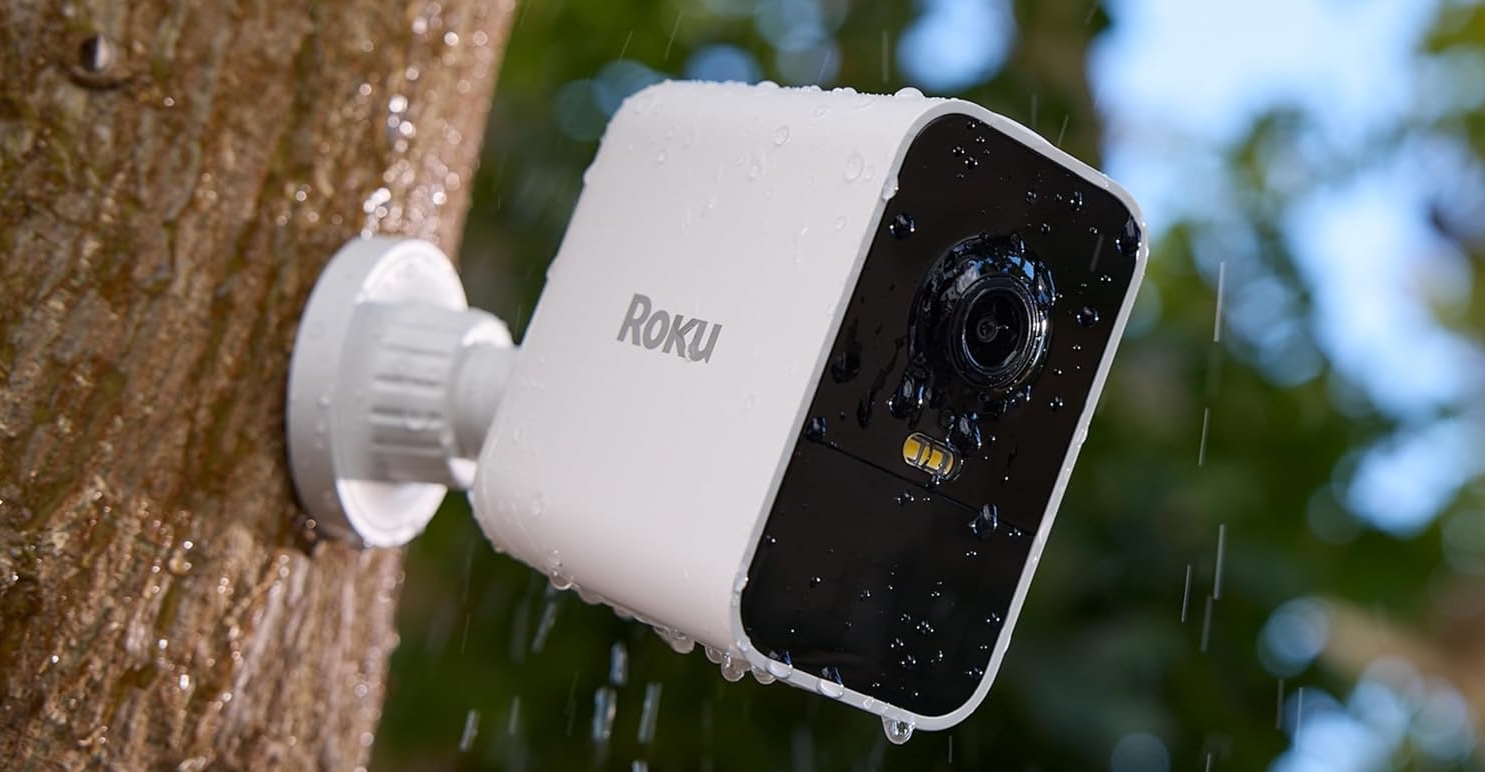
A security camera deal is only useful if the camera fits the place you actually need to monitor.
A cheap indoor camera is not a substitute for a weather-resistant driveway camera. A battery camera can solve an awkward installation where there is no outlet, but paying extra for battery power makes less sense when a plug is already nearby. And a pan-and-tilt camera can cover a large living room more effectively than installing several fixed cameras.
That is the best way to approach Roku Camera Cyber Monday 2026 deals.
Instead of ranking every camera from cheapest to most expensive, this guide starts with the blind spot you need to cover and matches it to the current Roku camera that makes the most sense.
Cyber Monday 2026 pricing has not been announced yet. CRAOB will update this page when confirmed offers become available.
Roku’s current camera lineup for 2026
Roku’s current U.S. Smart Home camera range includes the Roku Indoor Camera, Indoor Camera 360°, Battery Camera, Battery Camera Plus, Outdoor Wired Camera, and Floodlight Camera. Roku also continues to support older SE-branded camera hardware, so previous-generation models may still appear in retailer searches.
| Camera | Best place to use it | Power | Key reason to choose it |
|---|---|---|---|
| Roku Indoor Camera | Bedroom, office, nursery, entry room | Plug-in | Low-cost fixed indoor monitoring |
| Roku Indoor Camera 360° | Living room, playroom, pet area | Plug-in | Pan/tilt and automatic motion tracking |
| Roku Battery Camera | Yard, patio, shed, no-outlet locations | Rechargeable battery | Up to six months claimed battery life |
| Roku Battery Camera Plus | Hard-to-reach outdoor locations | Rechargeable battery | Up to two years claimed battery life |
| Roku Outdoor Wired Camera | Porch, side yard, garage exterior | Plug-in | Continuous power and weather resistance |
| Roku Floodlight Camera | Driveway, garage, backyard | Hardwired | Camera plus motion-activated lighting |
Most of the current cameras record at 1080p, so the biggest differences are not raw resolution. They are installation flexibility, battery life, field of view, motion tracking, lighting, weather resistance, storage options, and where the camera will physically live.
Blind spot 1: You just need to watch one indoor room
Start with the Roku Indoor Camera.
This is the straightforward fixed-position camera for a nursery, office, hallway, pet area, or room entrance.
The current model provides 1080p HD video, color night vision, a 120-degree diagonal field of view, motion and sound detection, two-way audio, an 80 dB siren, and integration with Roku Voice, Alexa, and Google Assistant. It requires power and a 2.4GHz Wi-Fi connection.
Roku Indoor Camera — Check Price on Amazon
This is the Roku camera I would watch first if Cyber Monday produces a low-cost multi-camera opportunity.
A two-pack can make sense when you want similar coverage in two fixed rooms without paying for pan/tilt hardware you do not need.
Why the fixed Indoor Camera can be enough
Not every room needs a camera that rotates.
If you can point one camera toward the crib, doorway, desk, pet bed, or other important area, a fixed field of view is simpler and usually cheaper.
The camera also integrates unusually well with Roku’s entertainment ecosystem. You can bring up a live camera feed through a compatible Roku TV or player rather than reaching for your phone every time you want to check a room.
That integration is one of the strongest reasons to choose a Roku camera over another inexpensive 1080p camera if your household already uses Roku TVs or Roku streaming players.
Blind spot 2: One camera needs to see the whole room
For a large living room, playroom, pet area, or open-plan space, move to the Roku Indoor Camera 360°.
It provides a 360-degree horizontal range and 93-degree vertical movement, along with automatic motion tracking.
That means the camera can follow movement instead of remaining pointed at one fixed corner. Roku specifically supports motion tracking on the Indoor Camera 360°, making it the natural choice for moving pets or children in a larger indoor area.
Roku Indoor Camera 360° — Check Price on Amazon
The camera also provides 1080p video, color night vision, sound detection, two-way audio, and an integrated siren.
One particularly useful difference is local microSD support. Roku lists support for Class 10 microSD cards up to 32GB on the Indoor Camera 360°, while its newer fixed Indoor Camera lists cloud storage rather than local recording in its current specifications.
That distinction may matter more than a small Cyber Monday price difference.
Fixed camera or 360° camera?
Choose the standard Indoor Camera when the area you care about stays in one direction.
Choose Indoor Camera 360° when people or pets move around a wide room and you would otherwise need two fixed cameras to cover it.
The 360° model can therefore cost more upfront while still being the more efficient setup.
Blind spot 3: There is no power outlet nearby
This is where Roku’s newer battery cameras become relevant.
Roku introduced Battery Camera and Battery Camera Plus in 2025, and they remain the newest major additions to its outdoor camera family heading into Cyber Monday 2026. Both are designed for indoor or outdoor placement without requiring a permanent power cable.
They provide 1080p video, color night vision, motion detection, a built-in spotlight, two-way audio, IP65 weather resistance, and Wi-Fi connectivity.
That makes them useful for places such as:
a detached garage, garden gate, shed, side yard, fence line, patio, or another location where running power would be inconvenient.
Roku Battery Camera
The standard model is rated for up to six months of battery life, although actual runtime depends on motion activity, live viewing, recording frequency, temperature, network conditions, and other settings.
Roku Battery Camera — Check Price on Amazon
For most easily accessible installations, six months can already be enough.
If the camera is mounted somewhere you can reach without much difficulty, the standard Battery Camera may offer the better value.
Blind spot 4: The camera is somewhere you hate recharging
This is the real reason to consider Roku Battery Camera Plus.
Roku rates the Battery Camera Plus for up to two years of battery life, compared with up to six months for the regular version. Roku’s setup documentation lists a longer 8–20 hour charging time for the Plus versus 2–5 hours for the standard Battery Camera, reflecting the much larger endurance focus. Actual battery life still varies substantially with use and conditions.
Roku Battery Camera Plus — Check Price on Amazon
The Plus becomes much easier to justify when the camera will be:
mounted high on a wall, placed far from the house, installed somewhere requiring a ladder, or positioned where frequent removal would become annoying.
If the camera is six feet from your back door and takes seconds to remove, paying significantly more purely for two-year maximum battery life may not be necessary.
Cyber Monday pricing should determine how attractive the upgrade becomes.
Solar charging can change the battery-camera decision
Roku also offers a newer USB-C Solar Panel designed for the Battery Camera and Battery Camera Plus.
Roku says the panel needs several hours of direct sunlight and can keep compatible SCB11R/SCB12R cameras charged without repeatedly bringing them indoors.
Roku Solar Panel USB-C — Check Price on Amazon
A Battery Camera plus solar panel can be a better long-term setup than buying Battery Camera Plus solely because you dislike charging.
But location matters.
A shaded side yard or covered porch may not receive enough useful sunlight, while a south-facing outdoor installation can be a much better candidate.
Cyber Monday shoppers should therefore compare the cost of:
Battery Camera Plus
against
Battery Camera + Solar Panel
rather than comparing the two cameras in isolation.
Blind spot 5: You have an outdoor outlet and never want to recharge anything
The Roku Outdoor Wired Camera is the simpler answer.
It delivers 1080p HD, color night vision, motion and sound detection, two-way audio, and weather-resistant hardware while running continuously from power. Roku’s current product page lists a 12.5-foot outdoor power adapter and IP-rated weather protection for both the camera and adapter.
Roku Outdoor Wired Camera — Check Price on Amazon
This is often the more logical purchase than a battery model when an outdoor GFCI outlet is already close to the installation point.
You trade installation flexibility for the convenience of never thinking about battery state.
For a fixed porch, side-yard, or garage-wall camera, that can be a very good trade.
Wired vs. battery: choose based on installation, not specifications
These products overlap in video quality more than their prices might suggest.
The practical question is power.
If you have an appropriate outlet near the camera location, the Outdoor Wired Camera eliminates recharging.
If there is no convenient power source, the Battery Camera avoids running cable.
If reaching the camera later will be difficult, Battery Camera Plus reduces the maintenance burden.
There is little reason to pay for a huge battery simply because it looks like the premium model if a wired installation would be effortless.
Blind spot 6: Your driveway needs both light and a camera
This is where the Roku Floodlight Camera belongs.
Rather than combining a separate smart light with another security camera, it puts monitoring and outdoor illumination in one fixture.
Roku’s current Floodlight Camera provides 1080p video, color night vision, customizable motion zones, a 270-degree motion-detection area, two-way audio, a siren, and dimmable motion-activated floodlights.
Roku Floodlight Camera — Check Price on Amazon
This is the Roku camera to consider for:
driveways, garages, dark side entrances, back patios, and yards where outdoor lighting is already needed.
Installation is the important part
Unlike Roku’s plug-in and battery cameras, the Floodlight Camera is meant to be hardwired to an appropriate electrical junction box.
Roku’s installation guidance specifies a grounded 110–120V junction box and recommends professional electrical help when the correct installation is not already available or local regulations require it.
Factor installation cost into the deal.
A $20 Cyber Monday discount is not very meaningful if your home also needs electrical work to use the product.
What about older Roku Camera SE models?
Amazon and other retailers may still surface older names such as:
Roku Indoor Camera SE, Outdoor Camera SE, Outdoor Wired Camera SE, and Floodlight Camera SE.
Roku continues to maintain support documentation and firmware for several of these older devices.
That does not make them the first models CRAOB should feature in a refreshed 2026 article.
Treat them as clearance candidates.
An older SE camera can make sense if the exact model number is clear, the seller is reputable, the feature set still meets your needs, and the final price is substantially below the newer equivalent.
One older feature may even be useful in some installations. Roku’s support documentation says certain SE cameras support microSD recording, whereas some newer current models emphasize cloud storage instead.
So newer is not automatically superior for every buyer.
Check storage before buying
This is one of the most important Roku camera differences that can get lost in a Cyber Monday deal list.
Roku’s basic camera functions do not necessarily require a paid subscription, but cloud event history and smart detection features do.
Roku currently advertises cloud recording for up to 14 days plus smarter person, package, pet, and vehicle detection through its Smart Home subscription. Current camera pages show the individual-camera monthly plan renewing at $3.99 per subscribed camera after the applicable promotional period.
That means purchase price is only one part of ownership cost.
A household adding four or five cameras should think about recurring storage costs before choosing a system purely because the hardware is inexpensive.
Can Roku cameras work without a subscription?
Yes, for core features such as live viewing.
But capabilities differ depending on the model and whether you subscribe.
For example, Roku says its Indoor Camera can be viewed live without continuous cloud recording, while cloud event recordings and advanced object detection require a Roku Smart Home subscription.
Some models, including Indoor Camera 360°, also support microSD local storage.
Before buying multiple cameras, decide whether your priority is:
live monitoring, local storage, cloud history, or intelligent event filtering.
That decision may change which model is the better Cyber Monday buy.
The Roku TV integration is the biggest ecosystem advantage
There are many inexpensive security cameras on Amazon.
Roku’s strongest differentiator is not necessarily resolution.
It is integration with Roku televisions and players.
Compatible Roku cameras can display live feeds on a Roku TV or player. Roku has also built features such as its Cameras app, Camera Carousel, notifications, and picture-in-picture monitoring around this ecosystem.
For a household already using several Roku devices, that can be genuinely useful.
You might watch a movie while keeping a small camera view visible, pull up the driveway camera from the TV, or check a room without finding your phone.
For someone who does not use Roku elsewhere, that ecosystem advantage matters less.
Roku cameras with Alexa and Google
Roku does not require every buyer to stay entirely inside its own ecosystem.
Current models also advertise compatibility with Amazon Alexa and Google Assistant/Google Home, depending on the camera.
That makes them easier to add to a household that already has smart speakers or displays from another platform.
However, feature support can differ by ecosystem, so shoppers building complex automations should confirm that the specific action they want—not simply basic device compatibility—is supported.
Which Roku camera is best for pets?
For an indoor pet that moves around the room, the Indoor Camera 360° is the most interesting option because of its automatic motion tracking.
Roku Indoor Camera 360° — Check Price on Amazon
If you only need to monitor a crate, pet bed, feeding station, or doorway, the regular Indoor Camera should be sufficient.
Roku Indoor Camera — Check Price on Amazon
That is a good example of why buying by feature is better than simply choosing the more expensive camera.
Which Roku camera is best for a backyard?
If outdoor power is available, start with the Outdoor Wired Camera.
If the camera location has no practical outlet, choose the Battery Camera.
If it will be difficult to reach for charging, consider Battery Camera Plus.
If the area is sunny enough for solar charging, compare a Battery Camera plus Roku Solar Panel against paying for the Plus model.
The right answer depends more on the installation than the video specification.
Which Roku camera is best for a driveway?
The Floodlight Camera is the most purpose-built option when you also need lighting.
If an existing floodlight junction box is already available, installation can be relatively straightforward.
If not, a Battery Camera mounted near the driveway may be cheaper and easier than adding electrical infrastructure solely to use a floodlight camera.
Which Roku camera is best for renters?
Renters should generally favor installations that require less permanent modification.
Indoor Camera and Indoor Camera 360° are easy starting points indoors.
Battery Camera is particularly attractive outside because it avoids routing a permanent power cable.
Before mounting anything outdoors or drilling holes, check your lease and obtain any required permission.
Is 1080p enough for a security camera in 2026?
Roku’s current camera line remains heavily centered on 1080p.
That can still be enough for basic home monitoring, checking deliveries, watching pets, and seeing what is happening around the property.
However, shoppers specifically looking for very high-resolution identification detail should compare Roku against competing 2K and 4K security-camera systems before committing to a large multi-camera installation.
The attraction of Roku is more about simplicity, ecosystem integration, straightforward monitoring, and comparatively accessible hardware than winning a resolution specification contest.
Don’t build a five-camera system before testing one
This is especially useful advice for Cyber Monday.
Large multipacks can appear attractive when heavily discounted.
But before covering the entire home with one ecosystem, test:
Wi-Fi reliability at the intended location, notification speed, night performance, app usability, TV integration, and whether the subscription model suits you.
One inexpensive camera is a cheaper way to discover that your backyard has weak 2.4GHz coverage than buying six cameras at once.
Roku Camera Cyber Monday 2026 shortlist
For a refreshed CRAOB post, I would prioritize these current models rather than stuffing the article with every historical Roku camera.
Simple indoor monitoring:
Roku Indoor Camera — Check Price on Amazon
Whole-room indoor coverage:
Roku Indoor Camera 360° — Check Price on Amazon
Wire-free outdoor monitoring:
Roku Battery Camera — Check Price on Amazon
Longest battery life:
Roku Battery Camera Plus — Check Price on Amazon
Outdoor camera with permanent power:
Roku Outdoor Wired Camera — Check Price on Amazon
Driveway/garage coverage with lighting:
Roku Floodlight Camera — Check Price on Amazon
Battery-camera charging accessory:
Roku Solar Panel USB-C — Check Price on Amazon
These search-based links are intentionally resilient because Amazon seller and inventory availability can change.
Verify the exact product name, model, seller, condition, and generation before checkout.
Cyber Monday 2026 buying strategy
Cyber Monday is Monday, November 30, 2026, but smart-home promotions may begin during the wider Black Friday period.
Rather than waiting for a random percentage-off badge, decide the installation first.
A useful plan is:
Indoor fixed target — Roku Indoor Camera.
Large-room target — Roku Indoor Camera 360°.
Outdoor no-power target — Roku Battery Camera.
Hard-to-reach target — Roku Battery Camera Plus.
Outdoor powered target — Roku Outdoor Wired Camera.
Driveway target — Roku Floodlight Camera.
Once you know which category solves the problem, you can compare the confirmed Cyber Monday price against current pricing.
Are Roku Camera Cyber Monday 2026 deals available yet?
No confirmed Cyber Monday 2026 pricing has been announced yet.
Any discounts available now are current promotions, not confirmed Cyber Monday offers.
CRAOB will update this page when verified Cyber Monday pricing becomes available.
We will not publish predicted sale prices, invented percentage discounts, unsupported coupon codes, or supposed future “lowest-ever” pricing.
Final buying advice
The strongest Roku Camera Cyber Monday 2026 purchase will probably not be whichever model receives the deepest percentage discount.
It will be the camera that solves the installation problem with the least unnecessary hardware.
Use the Indoor Camera for a fixed room.
Use Indoor Camera 360° when movement around a large indoor space matters.
Use Battery Camera where power is unavailable.
Choose Battery Camera Plus when exceptionally long battery life is genuinely useful.
Use the Outdoor Wired Camera when permanent outdoor power is already convenient.
And use the Floodlight Camera where lighting and monitoring need to cover the same outdoor area.
Older Roku SE cameras can still make sense as clearance purchases, but they should not be presented as the center of Roku’s current 2026 lineup.
Finally, consider the ecosystem before buying several cameras. Roku’s TV integration can be a meaningful advantage for existing Roku households, while cloud recording and smart detection can add recurring subscription costs.
Cyber Monday 2026 pricing has not been announced yet. CRAOB will update this guide once confirmed Roku Camera deals become available.