
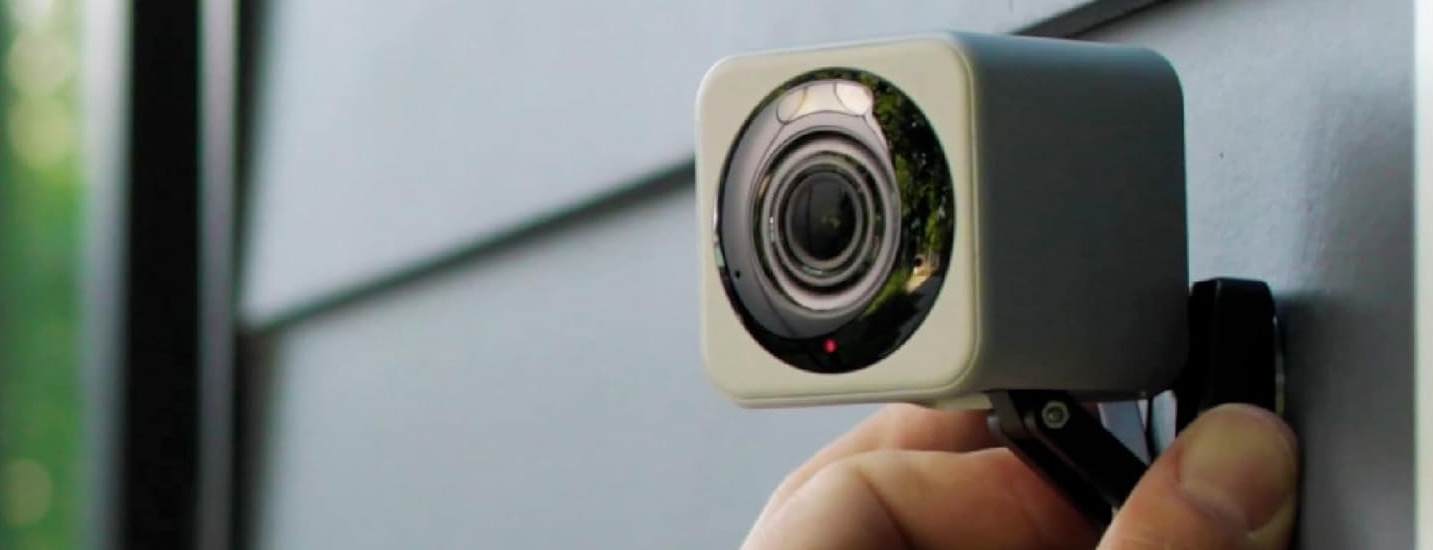
Wyze has one of the broadest camera lineups going into Cyber Monday 2026.
There is now a 4K pan-and-tilt camera, inexpensive fixed cameras, dual-lens coverage, battery-powered outdoor models, integrated solar cameras, floodlight cameras, a camera built into a light bulb, and even a model specifically designed to look outside through a window.
That variety creates a problem:
The Wyze camera with the biggest specification number is not necessarily the one you should buy.
A better strategy is to decide what security job the camera needs to perform and eliminate the models that do not fit.
Cyber Monday 2026 pricing has not been announced yet. CRAOB will update this page when confirmed offers become available.
The Wyze Cameras That Matter for Cyber Monday 2026
Current models worth watching include:
- Wyze Cam v4
- Wyze Cam Pan v4
- Wyze Duo Cam Pan
- Wyze Solar Cam Pan 2K
- Wyze Battery Cam Pro
- Wyze Cam Floodlight v2
- Wyze Cam Floodlight Pro
- Wyze Bulb Cam
- Wyze Window Cam
- Wyze Cam OG
- Wyze Cam OG Telephoto 3x
Older models such as Wyze Cam v3, Cam v3 Pro, older Pan generations and Floodlight Cam v1 may still appear through retailers, but they should generally be treated as previous-generation or clearance targets rather than the first products to consider in 2026.
Job 1: You Need One Affordable Camera That Can Do Almost Everything
Start with the Wyze Cam v4.
Cam v4 remains one of the most straightforward cameras in Wyze’s lineup because it works indoors or outdoors and combines good image quality with a relatively simple plug-in design.
Its core features include:
- 2.5K QHD video
- Wide Dynamic Range
- Enhanced Color Night Vision
- Integrated spotlight
- Built-in siren
- Two-way audio
- IP65 weather resistance
- Wi-Fi 6 support
- microSD local recording
Wyze launched Cam v4 in 2024, but it remains a current mainstream model rather than an obsolete generation.
That makes it particularly suitable for:
- Living rooms
- Garages
- Covered porches
- Side entrances
- Workshops
- Pet monitoring
- Driveways with nearby power
- Indoor entry areas
One major advantage is continuous local recording.
With a compatible microSD card installed, Cam v4 can record continuously without requiring a paid cloud plan.
That makes it especially attractive for shoppers who dislike the idea of paying a subscription simply to retain footage.
The limitation is power.
Cam v4 is not battery-powered.
If you install it outside, you also need to use the correct outdoor-rated power arrangement rather than exposing the standard indoor adapter to weather.
Wyze Cam v4 — Check Price on Amazon
Cam v4 Should Be the Baseline for Most Wyze Comparisons
Before buying another fixed Wyze camera, compare its price with Cam v4.
That is especially important with older:
- Cam v3
- Cam v3 Pro
- Cam OG
A previous-generation model can still be worth buying when it is substantially cheaper or has a specific feature you prefer.
But if the Cyber Monday difference is only a few dollars, Cam v4’s combination of 2.5K resolution, improved night imaging, spotlight, local recording and newer connectivity makes it difficult to ignore.
Job 2: One Fixed View Leaves Too Much of the Area Unseen
This is where Wyze Cam Pan v4 becomes much more interesting than Cam v4.
Pan v4 represents a major step up from earlier Pan models.
It records at up to 4K Ultra HD and can rotate through 360 degrees horizontally while tilting through a 180-degree vertical range. Wyze also gives it Wi-Fi 6, dual-band 2.4/5GHz connectivity, a spotlight, improved night vision and IP65 weather resistance.
This is a very different camera from an inexpensive fixed Cam.
It makes sense for:
- Large living rooms
- Workshops
- Garages
- Large patios
- Backyards
- Warehouses or work areas
- Pet monitoring
- Places where activity can come from several directions
Instead of installing multiple fixed cameras around one area, a Pan v4 can physically follow activity.
Wyze Cam Pan v4 — Check Price on Amazon
Do You Actually Need 4K Pan-and-Tilt?
Not every room does.
A 4K rotating camera sounds impressive, but Pan v4 is most valuable when both parts of the feature set matter:
high detail + movable coverage.
For a narrow hallway, one fixed Cam v4 may already see everything.
For a large open garage or backyard, however, the ability to move through a full pan range can dramatically reduce blind spots.
Use Pan v4 where its mechanical movement solves a real problem rather than simply buying it because 4K is the highest resolution in the Wyze lineup.
Physical Privacy Mode Makes Pan v4 More Interesting Indoors
Pan v4 also offers a physical Privacy Mode.
When enabled, the camera physically moves its lens away from the viewing area.
That is more reassuring for some indoor users than relying only on software to disable a camera.
Consider that feature particularly for:
- Living spaces
- Home offices
- Bedrooms where a camera is only occasionally needed
- Guest areas
- Shared family spaces
Privacy should be part of the camera choice, not something considered only after installation.
Job 3: You Need to Watch Two Directions at the Same Time
A rotating camera has one unavoidable limitation:
When it is looking left, it is not looking right.
The Wyze Duo Cam Pan addresses that problem by putting two 2K cameras into one device.
One lens stays fixed on the priority view.
The other can pan and tilt to track activity.
That makes Duo Cam Pan one of the most distinctive options in the current Wyze lineup. Wyze specifies 2K resolution for both lenses, with 360-degree pan and 180-degree tilt for the movable camera, integrated spotlights, a siren and IP65 weather resistance.
It makes sense for places such as:
- Driveway + front walk
- Garage door + side entrance
- Backyard + gate
- Workshop + entrance
- Large living room
- Storefront-like home workspaces
Wyze Duo Cam Pan — Check Price on Amazon
Duo Cam Pan vs Pan v4
This is one of the more interesting Wyze comparisons.
Choose Cam Pan v4 when:
- You want 4K
- Maximum detail matters
- One moving lens can cover the area
- Physical Privacy Mode matters
- Dual-band Wi-Fi is useful
- You want the newest high-resolution Pan platform
Choose Duo Cam Pan when:
- You need two simultaneous views
- One important area should remain visible at all times
- 2K is enough
- You want motion tracking without abandoning the fixed view
The difference is not simply 4K versus 2K.
It is one extremely detailed movable view versus two simultaneous views.
Duo Cam Pan Supports 24/7 Local Recording
The Duo Cam Pan includes a microSD card slot and supports continuous local recording.
Wyze says compatible microSD storage can record locally around the clock, while cloud and AI features can be added through its subscription plans.
That is particularly useful for a dual-camera product because motion-triggered cloud clips are not always a substitute for a continuous timeline.
If local recording is important, include the cost of a good microSD card when comparing Cyber Monday bundles.
Job 4: You Want a Moving Outdoor Camera Without Running Power
That is what Wyze Solar Cam Pan 2K is designed to solve.
This camera combines:
- Integrated solar panel
- Built-in rechargeable battery
- 2K video
- 360-degree pan
- 70-degree tilt
- AI person tracking
- Built-in spotlight
- IP65 weather resistance
Wyze says its integrated panel can generate enough energy for normal use with as little as approximately one hour of direct sunlight per day, although actual battery performance depends on placement, weather, season and event activity.
That combination makes it particularly interesting for:
- Gardens
- Detached sheds
- Side yards
- Backyards
- Gates
- Outdoor structures
- Areas where running a power cable is inconvenient
Wyze Solar Cam Pan 2K — Check Price on Amazon
Solar Cam Pan Is Not the Best Choice for Every Shady Location
The integrated solar panel is convenient only when the location can actually receive useful sunlight.
Before buying, check:
- Which direction the mounting surface faces
- Trees
- Roof overhangs
- Seasonal shade
- Winter sun angle
- Nearby buildings
If the camera will spend most of the day in deep shade, a removable-battery camera may be easier to maintain.
Important 2026 Solar Cam Pan Recall Check
There is also a specific 2026 issue shoppers should know about.
Wyze states that certain Solar Cam Pan units purchased on or before April 3, 2026 were affected by a recall involving incorrect mounting screws used to attach the solar panel. New buyers should not assume every older marketplace unit is equivalent to current stock.
If a Cyber Monday marketplace listing appears to be older inventory, check its recall eligibility and production details before installing it.
That is especially important with open-box or returned units.
Job 5: You Need True Wire-Free Placement but Do Not Need Pan-and-Tilt
Look at Wyze Battery Cam Pro.
Battery Cam Pro remains Wyze’s main removable-battery outdoor camera.
It offers:
- 2.5K HDR video
- Color Night Vision
- Radar + PIR motion detection
- Built-in spotlight
- Built-in siren
- Removable rechargeable battery
- Dual-band Wi-Fi
- IP65 weather resistance
- No required base station
Wyze describes it as its current high-end battery-powered outdoor camera.
That makes it particularly useful for:
- Gates
- Sheds
- Driveways
- Backyard corners
- Rental properties
- Areas without power outlets
- Locations where a fixed camera is enough
Wyze Battery Cam Pro — Check Price on Amazon
Battery Cam Pro vs Solar Cam Pan 2K
These cameras solve different wireless problems.
Choose Battery Cam Pro when:
- A fixed view is sufficient
- Removable batteries appeal to you
- You want 2.5K HDR
- Radar + PIR detection matters
- Dual-band Wi-Fi is useful
- The location may not get reliable sunlight
Choose Solar Cam Pan 2K when:
- You want 360-degree movement
- Solar exposure is good
- AI person tracking is valuable
- You prefer an integrated solar system
- 2K is sufficient
Battery Cam Pro emphasizes image quality and flexible battery placement.
Solar Cam Pan emphasizes movement and reduced charging maintenance.
Battery Cam Pro Can Use Solar Too
Solar Cam Pan is not the only solar-capable Wyze camera.
Battery Cam Pro also works with the separate Wyze Solar Panel using the appropriate connection hardware.
This can be a better arrangement when you want:
- A fixed 2.5K camera
- Better flexibility in positioning the solar panel
- Radar + PIR detection
- A removable battery as backup
The separate panel can sometimes be positioned toward sunlight even if the ideal camera angle itself faces shade.
Do Not Expect Six Months of Battery Life in Every Location
Wyze rates Battery Cam Pro at up to about six months of use under its normal-use assumptions of roughly 10–20 recorded events per day.
Actual results can vary substantially.
Battery life can decline with:
- Busy streets
- Frequent animals
- Long motion recordings
- Heavy Live View use
- Cold weather
- Weak wireless signal
- High detection sensitivity
A quiet backyard and a busy driveway are completely different workloads.
Job 6: You Need to Replace an Exterior Floodlight
Wyze offers two especially relevant models:
- Wyze Cam Floodlight v2
- Wyze Cam Floodlight Pro
The Pro is not simply a newer version of v2.
They target different price and coverage levels.
Wyze Cam Floodlight v2: The Mainstream Choice
The Wyze Cam Floodlight v2 combines:
- 2K camera
- 160-degree field of view
- Two adjustable floodlight heads
- 2,800 lumens
- PIR motion detection
- 105dB siren
- Color Night Vision
- microSD support
- Hardwired power
It is the logical starting point for:
- Driveways
- Garage entrances
- Backyards
- Side yards
- Existing floodlight replacement locations
Wyze Cam Floodlight v2 — Check Price on Amazon
Wyze Cam Floodlight Pro: Pay for Wider Coverage
The Wyze Cam Floodlight Pro steps up to:
- 2.5K video
- 180-degree field of view
- Three floodlight heads
- 3,000 lumens
- Dual-band Wi-Fi
- Vision-based AI motion detection
- 105dB siren
Wyze’s own current comparison puts Floodlight Pro at 2.5K/180 degrees/3,000 lumens versus Floodlight v2 at 2K/160 degrees/2,800 lumens.
That makes Pro easier to justify for:
- Wider driveways
- Large backyards
- Parking areas
- Areas where activity can enter from either side
- Shoppers who specifically want maximum floodlight-camera coverage
Wyze Cam Floodlight Pro — Check Price on Amazon
Floodlight v2 vs Floodlight Pro
For most shoppers, this decision should be based on coverage width rather than model status.
Buy Floodlight v2 if:
- 2K is enough
- 160 degrees already covers the area
- 2,800 lumens is sufficient
- You want the lower-cost option
Buy Floodlight Pro if:
- The area is unusually wide
- 180-degree coverage is genuinely useful
- You want 2.5K resolution
- Dual-band Wi-Fi matters
- Three light heads better fit the installation
Cyber Monday could make the Pro particularly attractive if its price moves significantly closer to v2.
Skip Floodlight Cam v1 Unless the Clearance Price Is Exceptional
Wyze’s current comparison identifies Floodlight Cam v1 as no longer sold.
It uses:
- 1080p video
- 130-degree field of view
- 2,600-lumen lighting
The newer v2 moves to 2K, 160 degrees and 2,800 lumens, while Pro goes farther again.
That makes v1 a legitimate clearance product—but not a current-generation recommendation.
Do not pay close to v2 pricing for old v1 inventory.
Job 7: There Is Already a Light Socket Where You Need the Camera
This is the unusual niche served by Wyze Bulb Cam.
Bulb Cam combines a security camera with an 800-lumen smart bulb.
It offers:
- 2K camera
- 160-degree field of view
- Color Night Vision
- Adjustable camera position
- Smart lighting controls
- Simple light-socket installation
That can be extremely useful around:
- Porch lights
- Garage exterior fixtures
- Side-door lights
- Patio fixtures
- Existing outdoor light sockets
Wyze Bulb Cam — Check Price on Amazon
Bulb Cam Can Be Smarter Than Installing Another Floodlight
Not every entrance needs 3,000 lumens.
If there is already a standard exterior light socket in exactly the right place, Bulb Cam can provide camera coverage without:
- Running a new cable
- Installing a separate wall camera
- Replacing the entire light fixture
- Hiring an electrician for a floodlight
Wyze specifies 2K video and a 160-degree field of view for the current Bulb Cam.
That makes it one of the more interesting Cyber Monday products for older houses where existing light locations happen to provide good camera angles.
Check the Bulb Socket Position First
The camera still needs a useful view.
An existing light may be:
- Too high
- Too low
- Pointed toward a wall
- Hidden beneath an overhang
- Positioned behind a column
Do not buy Bulb Cam solely because the socket exists.
Make sure the camera can physically see what you need.
Job 8: You Want Outdoor Monitoring Without Installing an Outdoor Camera
Consider Wyze Window Cam.
This is a specialized camera designed to mount inside a window and look outward.
Its design attempts to reduce the reflections and glare that often make ordinary indoor cameras perform badly when pointed through glass.
Wyze Window Cam offers:
- 1080p imaging
- Color Night Vision
- 120-degree diagonal field of view
- 24/7 microSD recording
- Two-way audio
- Tool-free mounting
Wyze currently sells it as a dedicated window-monitoring product.
Wyze Window Cam — Check Price on Amazon
Why Not Just Put Cam v4 Against the Window?
You can physically point many cameras through glass, but reflections can create problems—especially at night.
Infrared lights may reflect back from the window, while room lighting can appear in the image.
Window Cam is designed specifically around that use case.
It can be particularly useful for:
- Apartments
- Rentals
- Upper floors
- Windows overlooking a driveway
- Buildings where exterior mounting is restricted
- Anyone who wants no outdoor wiring
Its 1080p resolution is lower than Cam v4, but the specialized optical arrangement can be more important than raw resolution through glass.
Job 9: You Want the Cheapest Current Wyze Camera
The Wyze Cam OG remains current and inexpensive.
It records in 1080p and includes:
- Color Night Vision
- Integrated spotlight
- Siren
- Two-way audio
- IP65 weather resistance
- microSD local recording
Wyze currently lists Cam OG alongside its newer models rather than identifying it as discontinued.
It can make sense for:
- Secondary rooms
- Garage corners
- Pet areas
- Utility spaces
- Multiple-camera systems
- Locations where 1080p is sufficient
Wyze Cam OG — Check Price on Amazon
Cam OG vs Cam v4
The decision mostly comes down to how large the price gap becomes on Cyber Monday.
Cam OG gives you 1080p.
Cam v4 gives you 2.5K, improved image processing, newer night vision and newer connectivity.
If the Cyber Monday difference is small, Cam v4 is generally more compelling for an important camera location.
Cam OG becomes more interesting when:
- You need several cameras
- 1080p is sufficient
- Per-camera cost matters
- You are monitoring low-priority areas
What About Wyze Cam OG Telephoto 3x?
The OG Telephoto 3x serves a specialized purpose.
Instead of a conventional wide security-camera view, it provides a tighter telephoto perspective.
That can help monitor:
- A distant gate
- A mailbox
- Part of a driveway
- A specific doorway
- A narrow zone farther from the camera
It should not replace a normal wide camera for general room or yard coverage.
Treat it as a companion camera for a specific distant target.
Wyze Cam OG Telephoto 3x — Check Price on Amazon
Older Cam v3 and v3 Pro: Clearance Only Unless Pricing Is Excellent
Wyze still documents Cam v3 and Cam v3 Pro, but Cam v4 is now the mainstream current fixed-camera platform.
Cam v3 provides 1080p.
Cam v3 Pro provides 2.5K.
Cam v4 also provides 2.5K while adding newer imaging, audio and connectivity features.
That means older models need to win on price.
If an Amazon seller asks nearly Cam v4 money for a Cam v3 Pro because it is “Pro,” the name alone does not make it the better buy.
Local Recording Is Still One of Wyze’s Biggest Advantages
One reason Wyze remains attractive is microSD support across many models.
Wyze confirms that cameras with a microSD slot can continue to use 24/7 Local Recording without a paid subscription.
Users can select continuous recording or event-only local recording.
That applies particularly well to powered cameras such as:
- Cam v4
- Pan v4
- Duo Cam Pan
- Floodlight models
- Cam OG
- Window Cam
Continuous recording is much less practical on battery-powered cameras because it would dramatically affect battery life.
Local Storage Is Not the Same as Smart Cloud Detection
A microSD card records footage locally.
A Wyze subscription adds a different set of capabilities.
Those can include:
- Cloud event history
- Person detection
- Vehicle detection
- Package detection
- Pet detection
- Web access
- Friendly Faces
- AI Video Search
- Longer cloud history on higher plans
If you only want an always-recording local camera, a microSD card may be enough.
If you want the app to identify and organize events automatically, subscription features become more relevant.
Wyze Subscription Plans Changed in 2026
As of 2026, Wyze’s main camera plans are:
Cam Plus
Covers one camera.
Current U.S. pricing is $2.99 per month or $29.99 per year.
Cam Unlimited
Covers compatible cameras across the account.
Current pricing is $9.99 per month or $99.99 per year.
Cam Unlimited Pro
Adds Wyze’s higher-level AI and emergency-dispatch capabilities.
Current pricing is $19.99 per month or $199.99 per year.
Wyze increased the Cam Plus annual U.S. price to $29.99 beginning in March 2026.
These are current service prices—not Cyber Monday camera discounts.
Buying Three or More Cameras Changes the Subscription Math
Cam Plus is licensed per camera.
Cam Unlimited covers all compatible cameras on the account.
That means a household building a larger system should calculate subscription cost before buying a big Cyber Monday multipack.
Wyze itself points shoppers with several cameras toward Cam Unlimited because per-camera Cam Plus licenses add up quickly.
For example, a setup might include:
- Cam v4 at the garage
- Pan v4 in the living room
- Battery Cam Pro at the gate
- Floodlight v2 over the driveway
The hardware sale may look excellent, but the recurring service decision should still be made before checkout.
Do You Need Cam Plus at All?
Not necessarily.
Every Wyze shopper should separate three requirements:
I only want Live View and basic alerts
You may not need a subscription.
I want continuous local footage
Choose a compatible camera with a microSD slot.
I want cloud history and smart identification
A subscription becomes more valuable.
Wyze confirms that 24/7 local microSD recording remains available without a subscription on compatible models.
4K Needs a Better Network
Cam Pan v4 is the first current model in this group that pushes Wyze firmly into 4K.
Higher resolution places more pressure on:
- Wi-Fi strength
- Router placement
- Upload bandwidth
- Local storage capacity
- microSD write endurance
Pan v4 supports 2.4GHz and 5GHz Wi-Fi plus Wi-Fi 6, which gives users more network flexibility than older 2.4GHz-only Wyze models.
But better wireless hardware cannot fix a camera mounted beyond reliable network coverage.
Test Wi-Fi at the installation location before buying several 4K cameras.
Do Not Buy Every Camera at Maximum Resolution
A sensible security system can mix resolutions.
For example:
- Front driveway: Pan v4 4K
- Side yard: Battery Cam Pro 2.5K
- Garage: Cam v4 2.5K
- Utility room: Cam OG 1080p
- Window overlooking parking area: Window Cam 1080p
- Backyard: Solar Cam Pan 2K
Spending extra for maximum resolution in a small utility room rarely improves the overall system.
Put higher-resolution hardware where identifying details matters most.
Think About Camera Movement Before Resolution
There are now three fundamentally different Wyze viewing styles.
Fixed
Examples:
- Cam v4
- Battery Cam Pro
- Cam OG
- Window Cam
Best when the area of interest does not move.
Pan-and-Tilt
Examples:
- Cam Pan v4
- Solar Cam Pan 2K
Best when the camera must actively cover several directions.
Dual View
Example:
- Duo Cam Pan
Best when one area must remain continuously visible while another lens tracks activity.
Choosing the viewing style correctly often matters more than moving from 2K to 2.5K or 4K.
Consider Privacy Before Putting Wyze Cameras Indoors
Indoor cameras can observe much more private activity than outdoor security cameras.
Before placing cameras around the home, think about:
- Who has account access
- Shared users
- Microphones
- Camera placement
- Local recording
- Cloud recording
- Guest spaces
- Children’s rooms
- Physical privacy features
Cam Pan v4 is particularly notable because it provides a physical Privacy Mode where the lens moves away from the viewing area.
For other cameras, consider smart plugs or physical unplugging if you want a simple visible privacy boundary.
Seller and Model Checks Matter on Amazon
Wyze has produced a lot of generations.
A Cyber Monday search can easily mix:
- Cam v4
- Cam v3 Pro
- Cam v3
- Cam OG
- Pan v4
- Pan v3
- Floodlight Pro
- Floodlight v2
- Floodlight v1
- Battery Cam Pro
- Old Outdoor cameras
- Renewed devices
- Multipacks
Check:
- Exact model
- Generation
- Resolution
- Power type
- Indoor/outdoor rating
- Included power adapter
- Battery inclusion
- microSD support
- New vs renewed condition
- Seller
- Warranty
- Return policy
A listing described only as “Wyze 2K Security Camera” is not specific enough.
What Would Make Each Wyze Camera a Good Cyber Monday 2026 Deal?
Cyber Monday 2026 prices have not been announced yet, so CRAOB will not invent future prices or discount percentages.
Instead, compare each camera with the model that solves the same job.
Wyze Cam v4
One of the strongest mainstream buys if you have access to power and want 2.5K local-recording capability.
Wyze Cam Pan v4
Most attractive when you genuinely need both 4K detail and motorized coverage.
Wyze Duo Cam Pan
Look for it when two simultaneous views would save you from buying two separate cameras.
Wyze Solar Cam Pan 2K
Strong option for sunny outdoor locations where running power is difficult.
Wyze Battery Cam Pro
Best deal when you need a truly wire-free fixed camera and value removable batteries, 2.5K HDR and radar + PIR detection.
Wyze Cam Floodlight v2
Likely the mainstream floodlight value target for most conventional driveways and backyards.
Wyze Cam Floodlight Pro
Worth stepping up to when the wider 180-degree view and three-light 3,000-lumen system actually benefit the area.
Wyze Bulb Cam
Particularly compelling when the perfect camera location already has a standard light socket.
Wyze Window Cam
Worth considering for rentals and no-drill installations where viewing through a window is preferable to outdoor mounting.
Wyze Cam OG
Treat as the low-cost current choice when 1080p is enough.
WYZE Camera Cyber Monday 2026 FAQ
What is the newest Wyze Cam?
There is no single newest camera because Wyze now maintains several product families.
Among its newer/current-generation products, Cam Pan v4, Duo Cam Pan and Solar Cam Pan arrived in 2025 and remain central to the 2026 lineup, while Cam v4 remains Wyze’s mainstream fixed 2.5K camera.
Does Wyze have a 4K camera?
Yes.
Wyze Cam Pan v4 records at up to 3840 × 2160 4K resolution.
Is Wyze Cam v4 4K?
No.
Wyze Cam v4 records in 2.5K QHD.
Do not confuse the “v4” generation number with 4K resolution.
Which Wyze camera is best for general use?
Cam v4 is one of the simplest starting points because it provides 2.5K imaging, indoor/outdoor capability, local microSD recording, a spotlight and continuous plug-in power.
Which Wyze camera is best when there is no power outlet?
Battery Cam Pro is a strong fixed-camera option.
Solar Cam Pan 2K is more interesting when you want rotating coverage and the location receives enough sunlight.
Does Battery Cam Pro need a hub?
No.
Wyze says Battery Cam Pro works without a required base station or hub.
Which Wyze camera has the widest floodlight coverage?
Floodlight Pro has a 180-degree field of view compared with 160 degrees for Floodlight v2.
Is Wyze Floodlight Cam v1 still current?
No.
Wyze identifies Floodlight Cam v1 as no longer sold. Remaining inventory should be treated as clearance stock.
Can Wyze cameras record without a subscription?
Many compatible Wyze cameras with microSD slots support continuous or event-based local recording without a paid security plan.
Does Cam Plus cover all Wyze cameras?
Cam Plus is a single-camera plan.
Cam Unlimited covers compatible cameras across the account.
How much does Cam Plus cost in 2026?
Wyze currently lists Cam Plus at $2.99 per month or $29.99 per year in the U.S. The annual price increased to $29.99 beginning in March 2026.
Is Wyze Cam v3 still worth buying?
Only when the clearance price makes sense.
For a fresh purchase, compare it directly with Cam v4 rather than assuming the older model is a bargain.
Are WYZE Camera Cyber Monday 2026 prices confirmed?
No.
Cyber Monday 2026 pricing has not been announced yet. CRAOB will update this page when confirmed offers become available.
Final Buying Advice
Wyze’s 2026 lineup rewards shoppers who choose cameras by function rather than by model number.
For a simple powered indoor/outdoor camera, Wyze Cam v4 remains the natural place to start.
Choose Cam Pan v4 when a single fixed view is inadequate and you want the extra detail of 4K.
Choose Duo Cam Pan when one camera must keep watching the priority area while another lens moves.
For locations without convenient power, Battery Cam Pro gives you 2.5K fixed coverage and removable batteries, while Solar Cam Pan 2K is more compelling when sunlight and pan-and-tilt coverage align.
For exterior lighting, Floodlight v2 is the practical mainstream model, while Floodlight Pro makes more sense for unusually wide areas where its 180-degree view and stronger lighting can actually be used.
The Bulb Cam and Window Cam should not be dismissed as novelty products. Each can solve an installation problem that would otherwise require drilling, wiring, or a separate exterior camera.
And if you simply need several inexpensive cameras, Cam OG remains relevant as a current 1080p value option.
Finally, include storage and subscription costs before deciding whether a Cyber Monday bundle is actually cheap.
Wyze’s microSD support can provide subscription-free local recording on many models, while Cam Plus, Cam Unlimited and Cam Unlimited Pro add cloud history and increasingly advanced detection features.
The strongest Cyber Monday deal will therefore be the camera that fixes the specific blind spot in your home—not necessarily the one with the highest resolution or biggest advertised discount.
Cyber Monday 2026 pricing has not been announced yet. CRAOB will update this guide when verified offers become available.