
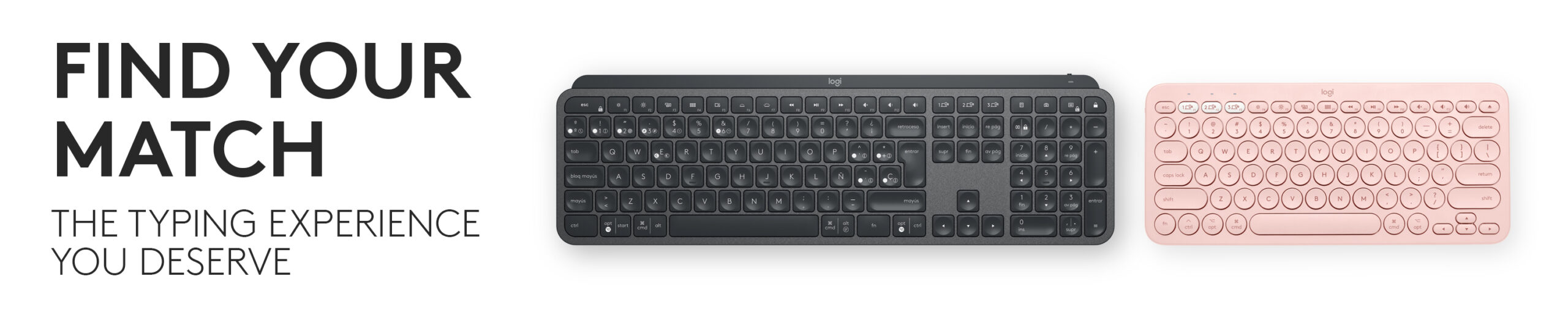
Buying a keyboard and mouse separately gives you maximum choice.
Buying them as a combo can give you something else:
A simpler desk.
One receiver.
Matching software.
Consistent design.
One purchase instead of two.
And, during Black Friday, potentially a much better combined price.
But Logitech makes keyboard-and-mouse sets for very different people.
The $30 combo for a family computer shouldn’t be judged against an MX productivity setup costing several times more.
So for Logitech Keyboard & Mouse Combo Black Friday 2026 deals, we’re building seven different desks instead of pretending every combo competes directly.
Which Desk Sounds Like Yours?
Premium productivity desk → Logitech MX Keys S Combo
Comfort-first workday → Logitech Signature Comfort Plus Combo MK880
Ergonomic desk → Logitech Wave Keys + Lift Combo
Multi-device home office → Logitech Signature Slim Combo MK955
Laptop/travel setup → Logitech Pebble 2 Combo
Comfortable traditional full-size setup → Logitech MK850 Performance
Quiet budget desk → Logitech MK295 Silent Wireless Combo
Black Friday 2026 falls on Friday, November 27.
We’re not inventing future prices or pretending today’s discounts are Black Friday offers. Use the named Amazon links below to check current listings, then compare those prices with verified holiday deals once they actually appear.
DESK 1 — THE “I WORK ON THIS COMPUTER ALL DAY” SETUP
Logitech MX Keys S Combo
If your keyboard and mouse are tools you use for eight hours every day, the MX Keys S Combo is the Logitech package we’d watch first.
This is not the inexpensive office bundle.
It’s Logitech’s productivity-oriented pairing of:
MX Keys S keyboard
MX Master 3S mouse
MX Palm Rest
That matters because MX Keys S and MX Master 3S are independently strong productivity products rather than inexpensive peripherals created merely to fill a bundle.
Why MX Keys S works for serious desk use
The keyboard uses low-profile, laptop-inspired keys with smart backlighting.
The mouse is the bigger differentiator.
MX Master 3S gives you:
A high-precision sensor.
MagSpeed scrolling.
Horizontal thumb wheel.
Multiple programmable controls.
Multi-device capability.
Customization through Logi Options+.
For someone constantly moving through:
Spreadsheets.
Photoshop.
Premiere.
Browsers.
Code.
Documents.
the mouse can save more time than another keyboard specification ever will.
This is the combo for:
Developers.
Designers.
Editors.
Finance.
Office power users.
People switching between multiple computers.
Anyone whose computer is their primary work tool.
The Black Friday comparison
Don’t compare MX Keys S Combo only against its list price.
Also calculate the cost of buying:
MX Keys S + MX Master 3S + palm rest separately.
If the combo receives the stronger discount, excellent.
If one component gets an unusually deep standalone sale, separate purchases may be cheaper.
Logitech MX Keys S Combo — Check Price on Amazon
DESK 2 — YOUR WRISTS ARE TIRED BEFORE YOUR WORKDAY ENDS
Logitech Signature Comfort Plus Combo MK880
The Signature Comfort Plus Combo MK880 is one of the more interesting current Logitech additions because it targets something spec sheets often neglect:
How your desk feels after hours of use.
Logitech pairs a comfort-oriented keyboard with a palm-rest mouse rather than chasing gaming latency or dozens of extra buttons.
This is an office combo first.
And that’s exactly why it belongs here.
Think about the hours, not the benchmarks
If you work at your computer:
8 hours Monday.
8 hours Tuesday.
8 hours Wednesday.
and repeat that for years, subtle improvements in wrist position and desk comfort can matter much more than RGB or polling rate.
Best fit
Hybrid workers.
Office users.
Long writing sessions.
Administrative work.
People replacing an old basic keyboard-and-mouse set.
Anyone prioritizing everyday comfort over enthusiast features.
Don’t automatically buy the most expensive Logitech combo
The MX bundle is more sophisticated.
That doesn’t necessarily make it more appropriate.
If your workload is mostly:
Email.
Office documents.
Browser.
CRM.
Video calls.
MK880 may cover the actual job without making you pay for MX functionality you won’t use.
Logitech Signature Comfort Plus Combo MK880 — Check Price on Amazon
DESK 3 — YOU WANT TO CHANGE THE WAY YOUR HANDS SIT
Logitech Wave Keys + Lift Combo
This is the combo that requires the biggest adjustment—and potentially offers the biggest ergonomic change.
The Wave Keys + Lift Combo pairs:
Logitech Wave Keys
with
Logitech Lift Vertical Ergonomic Mouse.
The keyboard has a wave-shaped keyframe and cushioned palm rest.
The Lift turns the mouse into a 57-degree vertical design intended to place the hand and forearm in a more natural handshake-style position.
This feels different immediately
A normal mouse places your palm facing downward.
Lift rotates your hand.
Some people love that.
Others need time to adjust.
That’s why we would never recommend buying an ergonomic mouse solely because its Black Friday discount is large.
The design itself must suit you.
Logitech says Lift is particularly suitable for:
Small- to medium-sized hands.
Wave Keys’ compact width also allows the mouse to sit closer to the keyboard, reducing how far your arm needs to move outward.
Who should consider this combo?
People doing long desk days.
Workers already thinking about ergonomics.
Users who dislike conventional flat keyboards.
Someone curious about vertical mice.
One note worth stating clearly
A consumer keyboard or mouse should not be treated as a medical treatment.
If you’re dealing with persistent pain, numbness or another physical problem, address that separately rather than expecting a peripheral purchase to diagnose or fix it.
Logitech Wave Keys + Lift Ergonomic Combo — Check Price on Amazon
DESK 4 — ONE KEYBOARD, TWO COMPUTERS, THREE DEVICES
Logitech Signature Slim Combo MK955
Modern desk setups frequently contain more than one computer.
Work laptop.
Personal desktop.
Tablet.
Maybe a phone beside them.
The Signature Slim Combo MK955 is built around that reality.
Its biggest appeal is not raw performance.
It’s device switching.
Logitech positions the combo for users moving between work and personal computers while keeping a consistent keyboard-and-mouse setup.
Why multi-device support matters
Without it, the desk can become:
Work keyboard.
Work mouse.
Personal keyboard.
Personal mouse.
Four peripherals occupying space.
With the right multi-device setup, one keyboard and one mouse can do considerably more.
The Signature Slim style
This is also a lower-profile, cleaner-looking setup than MK850.
That makes it appealing for:
Modern home offices.
Mac/Windows mixed setups.
Minimal desks.
Users who prefer laptop-style typing.
MK955 or MX Keys S Combo?
Here’s the shortcut.
MX Keys S Combo: Power-user choice.
Signature Slim MK955: Streamlined productivity choice.
If you don’t need the MX Master mouse’s advanced controls, Signature Slim can make more sense.
Logitech Signature Slim Combo MK955 — Check Price on Amazon
DESK 5 — YOUR “DESK” SOMETIMES FITS INSIDE A BACKPACK
Logitech Pebble 2 Combo
The Pebble 2 Combo is one of the easiest Logitech products to understand.
It’s small.
It’s slim.
It’s quiet.
And it’s designed to travel.
You get a compact Pebble Keys 2 keyboard paired with a Pebble Mouse 2 in a matching minimalist design.
Why this combo exists
A laptop already has a keyboard and trackpad.
But those aren’t always ideal when:
The laptop is on a stand.
You’re working at a hotel desk.
You connect the laptop to a monitor.
You use an iPad or tablet.
You travel between several workspaces.
Pebble gives you an external input setup without requiring a full-size office keyboard in the bag.
Multi-device support
Pebble 2 can switch between up to three devices, making it especially useful for people moving among:
Laptop.
Tablet.
Phone.
or multiple computers.
Best for
Digital nomads.
Students.
Coffee-shop work.
Laptop stands.
Tablet productivity.
Small desks.
Minimalist setups.
Not our choice for
Ten hours of Excel requiring constant number-pad entry.
A dedicated desktop where portability doesn’t matter.
Logitech Pebble 2 Keyboard & Mouse Combo — Check Price on Amazon
DESK 6 — YOU DON’T WANT A TRENDY KEYBOARD; YOU WANT A COMFORTABLE ONE
Logitech MK850 Performance
The MK850 Performance has been around longer than Logitech’s latest Signature products.
That’s not necessarily a reason to remove it.
It offers a traditional full-size productivity setup with a cushioned palm rest, curved keyframe and contoured mouse.
More importantly, both peripherals are designed around multi-device work.
The keyboard and mouse can switch among up to three devices.
Why we’d still watch MK850 in 2026
Mature hardware can become excellent Black Friday hardware.
You aren’t buying a smartphone processor.
A keyboard and mouse do not become slow because a new generation launched.
If MK850 gets a much deeper discount than newer Signature products, it can remain an excellent home-office purchase.
Who might prefer it?
Someone who wants:
Full-size keyboard.
Number pad.
Palm rest.
More traditional key layout.
Multi-device support.
Larger contoured mouse.
Who might prefer MK955 instead?
Someone who values:
Slimmer design.
More modern appearance.
Lower-profile typing.
Cleaner desk aesthetic.
The sale price may decide between them.
Logitech MK850 Performance Wireless Keyboard & Mouse Combo — Check Price on Amazon
DESK 7 — SOMEONE ELSE IS WORKING OR SLEEPING FIVE FEET AWAY
Logitech MK295 Silent Wireless Combo
This is where the word quiet has real value.
The MK295 Silent Wireless Combo is an inexpensive full-size keyboard-and-mouse set designed specifically to reduce typing and clicking noise.
Logitech advertises its SilentTouch technology as reducing keyboard and mouse noise substantially compared with conventional designs.
That’s useful for:
Shared apartments.
Home offices beside bedrooms.
Libraries.
Open workspaces.
Students.
Late-night work.
Couples sharing an office.
Why MK295 isn’t merely “the cheap one”
Noise can be a feature.
A louder mechanical board may be technically more satisfying to one person while being extremely irritating to everyone else in the room.
If your highest priorities are:
Full-size layout.
Wireless operation.
Low cost.
Quiet input.
then buying a more expensive MX setup doesn’t necessarily improve your life.
Black Friday opportunity
Budget combos already cost relatively little.
That means don’t obsess over saving another $4.
Buy it when the price is good and you need it.
Black Friday is more important for expensive productivity combos where percentage reductions create larger dollar savings.
Logitech MK295 Silent Wireless Keyboard & Mouse Combo — Check Price on Amazon
Don’t Start With Price—Start With the Desk Problem
Here are seven common desk complaints.
“My mouse and keyboard feel cheap.”
Move toward:
MX Keys S Combo
“My wrists and hands don’t like my setup.”
Investigate:
Wave Keys + Lift
or
Signature Comfort Plus MK880
“I keep switching between work and personal PCs.”
Look at:
Signature Slim MK955
or
MK850
“I carry everything in a backpack.”
Get:
Pebble 2 Combo
“Typing noise drives everyone crazy.”
Look at:
MK295 Silent
That’s a much better purchase strategy than sorting Amazon by discount percentage.
The $30 Combo vs. the $200 Combo
This comparison sounds ridiculous.
But it’s worth explaining.
Why does one Logitech keyboard-and-mouse bundle cost many times more than another?
Because you’re paying for differences in:
Typing feel.
Mouse sensor.
Scroll wheel.
Customization.
Multi-device support.
Materials.
Backlighting.
Ergonomics.
Programmable actions.
Software integration.
Battery/recharging design.
For occasional computer use
Most of that may not matter.
For eight hours of professional use every day
Small improvements can compound.
A tool used for 2,000 hours per year deserves a different budget from a keyboard attached to the family PC for occasional web browsing.
Logitech MX Keys S Combo vs. Signature Slim MK955
This will be one of the most useful Black Friday comparisons.
MX KEYS S COMBO
Choose it for:
Power users.
Advanced mouse controls.
Heavy productivity.
Creative software.
Premium typing.
Backlit keyboard.
SIGNATURE SLIM MK955
Choose it for:
Straightforward productivity.
Multi-device work.
Slim desk aesthetic.
Lower purchase price.
Quieter, simpler setup.
The MX package isn’t “better” if you never use what you’re paying for.
Wave Keys + Lift vs. MK880
These are both comfort-oriented setups.
But they approach comfort differently.
Wave Keys + Lift
More radical change.
Wave keyboard.
Vertical mouse.
Best for someone specifically seeking an ergonomic-style setup.
MK880
More conventional.
Comfort-first without requiring such a large adjustment in mouse technique.
Someone moving directly from a standard office setup may find MK880 easier to adopt.
Pebble 2 vs. Signature Slim
Both look clean.
They’re not designed for exactly the same desk.
Pebble 2
Portability first.
Compact.
Lightweight.
Small mouse.
Signature Slim
Permanent productivity setup first.
Larger keyboard.
Larger mouse.
Better fit for a traditional home-office desk.
If the keyboard never leaves your office, the extra portability of Pebble has little value.
Do You Need a Number Pad?
This one question can eliminate half your options.
Yes, every day
Finance.
Accounting.
Data entry.
Spreadsheets.
Numeric work.
Keep a full-size keyboard.
Rarely
A compact setup may give your mouse considerably more room.
This matters ergonomically too.
A full-size keyboard pushes the mouse farther to the right.
A narrower keyboard can let you keep your mouse closer to your body.
Full-Size Keyboard or Compact Keyboard?
Full-size
Best for:
Number pad users.
Traditional desktop work.
Fixed desks.
Compact
Best for:
Smaller desks.
Travel.
More mouse room.
Minimalist setups.
Neither layout is better.
Your workflow decides.
Laptop-Style Keys vs. Traditional Desktop Keys
Logitech increasingly offers low-profile keyboards inspired by laptop typing.
Some users love them.
Others prefer taller traditional keys.
Low-profile benefits
Shorter key travel.
Thin chassis.
Familiarity for laptop users.
Modern appearance.
Traditional full-size feel
Often preferred by people accustomed to classic desktop keyboards.
Can offer more key separation and deeper travel depending on model.
Typing feel is personal.
A bigger Black Friday discount won’t change whether you enjoy the keyboard.
Do You Need Backlighting?
MX Keys S includes smart illumination.
Budget Logitech combos generally do not.
Ask when you actually type.
Bright office all day
Backlighting may barely matter.
Dim home office at night
It can be extremely useful.
Again, don’t pay for a feature because it sounds premium.
Pay for it because you use it.
Rechargeable or Replaceable Batteries?
Both approaches have advantages.
Rechargeable
Plug in.
Recharge.
No AA/AAA stockpile.
Common on premium models.
Replaceable batteries
Can last a very long time on low-power keyboards and mice.
Swap battery and immediately continue working.
No eventual forgetting to charge.
Neither approach is inherently outdated.
For basic office peripherals, replaceable batteries remain extremely practical.
Bluetooth or USB Receiver?
This depends on your devices.
Bluetooth advantages
No receiver occupies a USB port.
Excellent for tablets and modern laptops.
Multi-device switching.
Receiver advantages
Straightforward connection.
Useful on desktops.
Can provide consistent peripheral connectivity in busy wireless environments.
Premium Logitech products may support both Bluetooth and a Logi Bolt receiver.
That flexibility is particularly useful in mixed-device offices.
What Is Logi Bolt?
Logi Bolt is Logitech’s current receiver technology used across many business/productivity peripherals.
Don’t assume:
every Logitech USB receiver works with every Logitech device.
Older Logitech Unifying receivers and Logi Bolt are different systems.
If receiver sharing is important, check the exact device before purchasing.
One Receiver for Keyboard and Mouse Is More Useful Than It Sounds
Every USB port matters on a thin laptop.
A combo designed to share one compatible receiver can reduce:
Cable clutter.
Occupied ports.
Things to lose.
Setup complexity.
This is one reason buying a matched combo can be more convenient than independently choosing two unrelated wireless peripherals.
Windows + Mac Desk? Multi-Device Matters More
If you regularly use:
Windows desktop.
MacBook.
iPad.
a good multi-device keyboard/mouse setup can dramatically simplify the desk.
Logitech supports several operating systems across its current productivity products.
But always check:
Key legends.
Modifier layout.
Software features.
Compatibility.
A product technically working on macOS doesn’t guarantee every Windows-specific key label suddenly becomes Mac-specific.
Logitech also sells Mac-oriented variants of several combos.
Should Mac Users Buy the Mac Version?
Maybe.
Mac versions can give you:
Mac-specific key legends.
Matching colors.
More familiar modifier layout.
But the standard multi-OS version may be more useful if you frequently switch between Windows and macOS.
Choose based on the computers you actually own.
What About Logitech POP Icon Combo?
The POP Icon Combo is another current option aimed at people who want a more colorful and compact desktop.
It includes customizable Action Keys and sits closer to the lifestyle/compact end of Logitech’s range.
We’re not adding it to the primary seven simply to inflate product count.
It becomes a stronger recommendation for someone who prioritizes:
Color.
Compact size.
Custom shortcuts.
Desk aesthetic.
If Black Friday gives it an unusually good price, it can be added as a live bonus deal.
Logitech POP Icon Keyboard & Mouse Combo — Check Price on Amazon
What About Logitech MK540?
The MK540 Advanced remains a straightforward full-size wireless combo.
It’s still sold by Logitech.
Why isn’t it one of our headline recommendations?
Because the main list already has:
MK295 for quiet budget use.
MK850 for traditional comfort + multi-device work.
Signature Slim for a more current productivity experience.
MK540 sits between those categories.
That doesn’t make it bad.
At the right clearance or promotional price, it can become an excellent no-nonsense office purchase.
Logitech MK540 Advanced Wireless Combo — Check Price on Amazon
What About Logitech MK270?
For pure affordability, the MK270 remains one of Logitech’s longstanding full-size wireless combos.
It isn’t sophisticated.
That’s its appeal.
A cheap keyboard and mouse for:
Family PC.
Reception desk.
Backup computer.
Basic office.
can be exactly the right purchase.
We’re keeping MK295 in the main list because its quieter design gives it a clearer editorial role, but MK270 remains worth checking when price is the overriding concern.
Logitech MK270 Wireless Keyboard & Mouse Combo — Check Price on Amazon
Keyboard and Mouse Combo or Buy Separately?
Buy a combo when:
You want matching design.
One simple purchase.
Receiver compatibility matters.
You like both included peripherals.
The bundle discount is strong.
Buy separately when:
You have very specific mouse preferences.
You want a mechanical keyboard.
You need an unusual keyboard layout.
Your hand size doesn’t suit the included mouse.
You’re mixing specialist peripherals.
A combo is only good value when both halves are useful.
A fantastic keyboard bundled with a mouse you’ll immediately replace isn’t really a bargain.
Your Mouse Hand Size Matters
This is particularly important with:
Pebble.
Lift.
Larger Signature mice.
Compact mice can be wonderful for portability and unpleasant for large hands during long work sessions.
Similarly, Lift is specifically positioned around small- to medium-sized hands.
Check dimensions before assuming one mouse works equally well for everyone.
Quiet Isn’t the Same as Silent
Products such as MK295 substantially reduce typing and clicking noise.
They do not suspend the laws of physics.
You will still hear some key movement and mechanical contact.
The benefit is relative:
less distracting input noise
rather than literal silence.
That’s particularly valuable for video calls and shared workspaces.
Don’t Buy a Gaming Combo for Office Work Just Because RGB Looks Fun
Logitech also owns a massive gaming-peripheral lineup under Logitech G.
Those products can be excellent.
But they solve different problems.
An office worker may benefit more from:
Multi-device switching.
Silent clicks.
Horizontal scrolling.
Ergonomic shape.
Long battery life.
than:
RGB.
Ultra-high polling rate.
Gaming switches.
Competitive sensor performance.
Choose according to the desk—not the marketing category.
What We’re Changing From Older Logitech Black Friday Posts
A 2026 update shouldn’t contain only:
MK270.
MK345.
MK540.
MK850.
and five other old MK-series bundles.
Those products may still work.
But Logitech’s current combo portfolio is broader.
Our primary 2026 watchlist emphasizes:
MX Keys S Combo
Signature Comfort Plus MK880
Wave Keys + Lift
Signature Slim MK955
Pebble 2
MK850
MK295
Older/basic combos remain useful when their prices make sense, but they no longer need to dominate the article.
When Is Logitech Keyboard & Mouse Combo Black Friday 2026?
Black Friday falls on Friday, November 27, 2026.
Cyber Monday follows on Monday, November 30.
Computer peripherals frequently receive promotions throughout November.
Before those deals arrive, decide:
Full-size or compact?
Comfort or portability?
Single device or multi-device?
Quiet operation important?
Premium mouse controls needed?
Once you’ve answered those questions, Black Friday only needs to determine the price.
Logitech Keyboard & Mouse Combo Black Friday 2026 FAQs
Does Logitech have Black Friday keyboard and mouse deals?
Logitech keyboard and mouse combos regularly appear in retailer promotions, but specific Black Friday 2026 prices haven’t been announced yet. We’ll update this guide with verified deals once holiday pricing is actually available.
What is the best Logitech keyboard and mouse combo?
For heavy professional productivity, we’d start with MX Keys S Combo because it pairs MX Keys S with the MX Master 3S mouse. For general office users, Signature Slim MK955 or MK850 may offer better value, while Pebble 2 is better suited to portability.
What is Logitech’s newest keyboard and mouse combo?
Logitech currently features newer products including the Signature Comfort Plus Combo MK880, while its broader current range includes Signature Slim MK955, Wave Keys + Lift, MX Keys S Combo and other established sets.
Is Logitech MX Keys S Combo worth it?
It can be for people who spend hours each day working at a computer and will use the MX Master 3S’s advanced scrolling, programmable controls and multi-device capabilities. Casual users can save considerably with a simpler combo.
Is Logitech MK850 still worth buying in 2026?
Yes, at the right price. MK850 remains a comfortable full-size multi-device combo with a cushioned palm rest and contoured mouse. Its strongest 2026 argument is likely value, especially if Black Friday puts it well below newer Signature products.
Which Logitech combo is best for multiple devices?
Signature Slim MK955, MK850, Pebble 2 and several premium Logitech setups support multi-device workflows. The best choice depends on whether you want a permanent full-size desk setup or something portable.
Which Logitech combo is best for travel?
Pebble 2 Combo is our first choice here because its keyboard and mouse are compact, slim and lightweight, while supporting switching among up to three compatible devices.
Which Logitech keyboard and mouse combo is quiet?
MK295 Silent Wireless Combo is specifically designed around reduced keyboard and mouse noise. Other Logitech productivity products also emphasize quieter typing and clicking at higher price points.
Which Logitech combo is best for ergonomics?
Wave Keys + Lift is the most explicitly ergonomic pairing in this guide. Wave Keys uses a curved wave-shaped layout with cushioned palm support, while Lift places the hand at a 57-degree angle.
Is a vertical mouse better than a regular mouse?
Not universally. Some users prefer the more upright hand position of a vertical mouse such as Logitech Lift, while others are more comfortable with a conventional mouse. Expect an adjustment period when changing designs.
Can Logitech keyboard and mouse combos work with Mac?
Many Logitech combos support macOS as well as Windows, and Logitech also sells Mac-specific variants of several products. Check the exact model and key layout before purchasing.
Can one Logitech keyboard and mouse control multiple computers?
Several current Logitech products support switching between multiple paired devices. Advanced setups may also use Logi Options+ software for additional cross-device functionality on supported systems.
Is Bluetooth better than a USB receiver?
Neither is universally better. Bluetooth frees a USB port and works well with tablets and modern laptops. A receiver can provide straightforward connectivity for a fixed desktop setup. Products supporting both give you greater flexibility.
Is the Logitech MK295 mechanical?
No. MK295 is a quiet mainstream wireless keyboard-and-mouse combo rather than a mechanical-keyboard setup. Buyers specifically wanting a mechanical keyboard will generally need to shop outside Logitech’s traditional MK productivity combos.
Should I wait until Black Friday for a Logitech combo?
If your existing keyboard and mouse still work, waiting to compare holiday pricing is sensible—especially for premium bundles such as MX Keys S Combo, where a percentage discount can represent meaningful dollar savings. Choose the form factor and workflow first rather than buying whichever combo receives the largest discount.
Build the Desk, Then Shop the Deal
Here’s the shortcut.
Your keyboard and mouse are professional tools?
Watch MX Keys S Combo.
Comfort is your main priority?
Compare Signature Comfort Plus MK880.
Want a genuinely ergonomic setup?
Try Wave Keys + Lift.
Work across several computers?
Look at Signature Slim MK955.
Carry your setup around?
Choose Pebble 2.
Want full-size comfort and multi-device control for less?
Watch MK850.
Want inexpensive and quiet?
Buy according to the MK295 price.
Don’t start Black Friday by asking which Logitech combo has the largest percentage-off label.
Start by deciding what frustrates you about your current desk.
Then buy the combo that fixes it.