
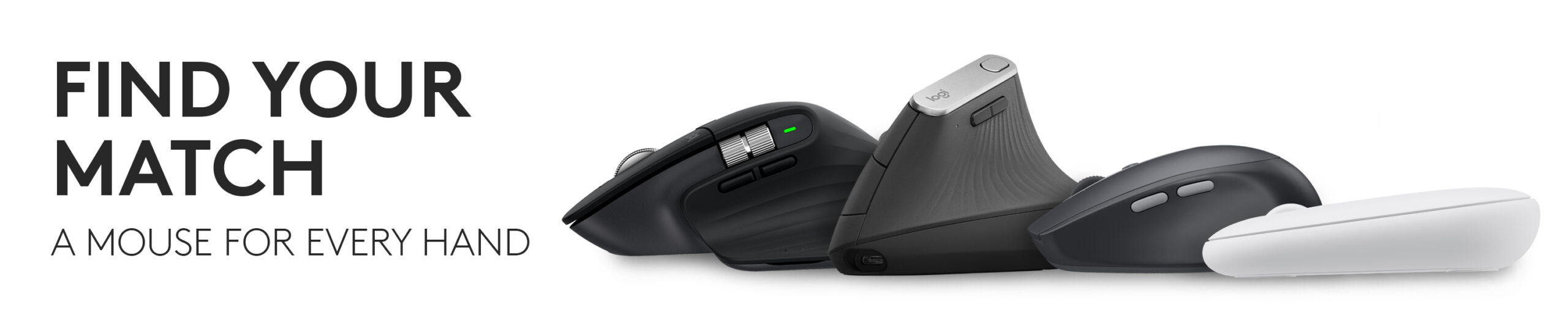
A mouse can have an excellent sensor, twenty programmable shortcuts and a huge Black Friday discount—and still be uncomfortable after two hours.
That’s why we’re not ranking Logitech mice purely by features.
For Black Friday 2026, start with three things:
Your hand.
Your desk.
What you actually do all day.
A video editor benefits from controls that may be useless to someone answering emails. A frequent traveler shouldn’t carry a huge productivity mouse just because it’s technically better. And someone who wants a vertical mouse shouldn’t be pushed toward a conventional design simply because it has a larger discount.
Find Your Logitech Mouse
Maximum productivity → Logitech MX Master 4
Ultra-portable travel → Logitech Mobi Fold
Vertical ergonomic design → Logitech Lift
Comfort-first conventional mouse → Logitech Signature Comfort Plus M850 L
Compact premium productivity → Logitech MX Anywhere 3S
Everyday value → Logitech Signature M650
Slim minimalist setup → Logitech Pebble Mouse 2 M350s
Black Friday 2026 falls on Friday, November 27.
We’re not predicting future sale prices or turning current discounts into fake Black Friday offers. The named Amazon links below show current listings so you can compare them with genuine holiday prices once retailers publish them.
YOUR MOUSE IS A PROFESSIONAL TOOL
Logitech MX Master 4
If your computer is where you earn your living, the MX Master 4 is the Logitech mouse we’d watch most closely.
This is Logitech’s current flagship productivity mouse.
It retains the core ideas that made the MX Master line popular—an ergonomic right-handed shape, MagSpeed scrolling, thumb controls and multi-device support—but adds a major new feature:
haptic feedback.
Logitech’s Haptic Sense Panel can provide tactile feedback for compatible actions and workflows.
MX Master 4 also introduces Logitech’s Actions Ring, which can surface customizable shortcuts through Logi Options+.
Why this matters more than another DPI number
Imagine you’re editing video.
Instead of repeatedly moving your pointer across the screen to reach tools, selected functions can be mapped closer to your mouse workflow.
The same idea applies to:
Photoshop.
Excel.
Premiere Pro.
Browsers.
Development tools.
General office applications.
The real appeal of MX Master isn’t raw pointer speed.
It’s reducing repetitive work.
8K DPI Darkfield sensor
MX Master 4 uses an 8,000 DPI Darkfield sensor that can track on a wide range of surfaces, including compatible glass surfaces.
For high-resolution and multi-monitor setups, that extra tracking range can be useful.
MagSpeed remains one of the best reasons to buy MX
The electromagnetic scroll wheel can move through extremely long documents quickly and then return to precise line-by-line scrolling.
If your work involves:
Long spreadsheets.
Huge webpages.
Code.
PDFs.
Research.
you may end up appreciating the wheel more than the sensor.
Battery
Logitech rates MX Master 4 for up to approximately 70 days on a full charge, depending on use.
A one-minute quick charge can provide several additional hours under Logitech’s stated conditions.
Who should buy it?
Editors.
Developers.
Designers.
Analysts.
Writers.
Office power users.
People using multiple computers.
Anyone who knows what they’d do with additional programmable controls.
Who shouldn’t?
Someone who mostly clicks Chrome tabs and checks email.
There are much less expensive Logitech mice that do that perfectly well.
Logitech MX Master 4 — Check Price on Amazon
YOUR OFFICE FITS INSIDE A BACKPACK
Logitech Mobi Fold
The Logitech Mobi Fold represents a completely different kind of mouse purchase.
It’s an ultra-portable wireless mouse designed around mobility.
That makes it especially relevant to:
Frequent travelers.
Laptop users.
Consultants.
Students.
Hybrid workers.
People working from hotel rooms and coffee shops.
Why portable mice are difficult
Make a mouse too large and nobody wants it in their laptop bag.
Make it too small and it becomes uncomfortable during real work.
Mobi Fold is designed specifically around solving that portability problem rather than simply shrinking an ordinary desktop mouse.
Think about your whole travel setup
Your bag may already contain:
Laptop.
Charger.
Headphones.
Power bank.
Cables.
Notebook.
Adapter.
Adding another bulky peripheral matters more than it sounds.
A purpose-built travel mouse makes sense when the mouse actually leaves home every day.
Don’t buy it for a permanent desktop
If your mouse spends 365 days beside the same monitor, portability has almost no value.
Spend the money on comfort or productivity controls instead.
Logitech Mobi Fold Wireless Mouse — Check Price on Amazon
YOUR WRIST WANTS SOMETHING DIFFERENT
Logitech Lift Vertical Ergonomic Mouse
Logitech Lift rotates the mouse concept.
Literally.
Instead of keeping your hand flat over the desk, Lift uses a 57-degree vertical angle.
That creates a handshake-style position that some users find more comfortable for long computer sessions.
This isn’t merely a strange-looking MX mouse
Lift serves a different buyer.
Logitech recommends it particularly for small- to medium-sized hands.
Its buttons remain accessible from the more upright position, and it provides SmartWheel scrolling plus wireless connectivity through compatible Bluetooth or Logi Bolt setups.
Vertical mice require adjustment
Expect the first few hours—or days—to feel different.
Your muscle memory has probably spent years controlling a conventional mouse.
That doesn’t mean the design isn’t working.
It means you’ve changed the orientation of one of the most frequently used tools on your desk.
Who should consider Lift?
Long workdays.
People curious about a vertical design.
Small- to medium-hand users.
Home-office workers prioritizing comfort.
Anyone deliberately changing their ergonomic setup.
One sensible warning
Persistent pain, numbness or weakness deserves appropriate professional attention. A mouse is an input device, not a diagnosis or medical treatment.
Logitech Lift Vertical Ergonomic Mouse — Check Price on Amazon
YOU WANT COMFORT WITHOUT GOING VERTICAL
Logitech Signature Comfort Plus M850 L
Not everyone wants to rotate their hand 57 degrees.
The newer Signature Comfort Plus M850 L takes the more familiar approach:
Keep a conventional mouse orientation, but design it around greater palm support.
This is one of the more interesting current additions to Logitech’s regular productivity range.
Who is this for?
Someone using a basic mouse and thinking:
“I want something more comfortable, but I don’t want to relearn how to use a mouse.”
That makes it particularly relevant to:
Office workers.
Hybrid employees.
People with larger hands.
Long browser/document sessions.
Anyone who prefers a more supportive palm-style grip.
Comfort Plus vs. MX Master 4
MX Master 4 is the advanced productivity tool.
M850 L is the comfort-focused everyday tool.
If you won’t use:
Haptics.
Actions Ring.
Thumb wheel.
Advanced productivity customization.
then buying the flagship simply because it’s discounted may be unnecessary.
Black Friday could make this tier particularly attractive
Midrange productivity mice can deliver a lot of the comfort improvement of premium hardware without premium pricing.
That’s exactly the kind of category where a modest dollar discount can create excellent value.
Logitech Signature Comfort Plus M850 L — Check Price on Amazon
YOU WANT MX FEATURES WITHOUT THE MX MASTER SIZE
Logitech MX Anywhere 3S
The MX Anywhere 3S remains the mouse we’d choose when portability and serious productivity need to coexist.
It’s significantly more compact than MX Master while retaining several high-end features.
That includes:
8K DPI tracking
MagSpeed scrolling
Quiet Clicks
multi-device capability
and Logitech Options+ customization.
MX Anywhere vs. MX Master
This is mostly a question of priorities.
MX Master 4
Better for a permanent desk.
Larger ergonomic shape.
More physical controls.
Thumb wheel.
More advanced flagship features.
MX Anywhere 3S
Better for a laptop bag.
Smaller desks.
Frequent travel.
People who don’t like large mice.
The name “Anywhere” is actually useful
The sensor is designed to track across a variety of surfaces.
That’s particularly valuable when your desk might be:
Airport table.
Hotel desk.
Coworking space.
Client office.
Kitchen counter.
Who should watch it on Black Friday?
Anyone who considered a cheap travel mouse and then realized they’ll be using it for several hours at a time.
Logitech MX Anywhere 3S — Check Price on Amazon
YOU JUST WANT A VERY GOOD EVERYDAY MOUSE
Logitech Signature M650
This may be the easiest Logitech mouse to recommend to an ordinary office user.
The Signature M650 avoids both extremes.
It isn’t an inexpensive bare-bones mouse.
It isn’t a $100+ professional productivity controller.
It’s designed around everyday comfort and useful scrolling.
SmartWheel
The scroll wheel lets you switch naturally between:
Precise line-by-line movement.
Fast movement through long pages.
That’s one of those features that sounds minor until you use it every day.
The biggest M650 advantage: sizing
Logitech offers different versions.
The regular M650 is aimed at small- to medium-sized hands.
M650 L serves larger hands.
There is also an M650 L Left version for left-handed users.
That matters.
Mouse comfort is heavily influenced by fit.
A fantastic mouse in the wrong size can be worse than an ordinary mouse that actually fits your hand.
Quiet clicks
M650 also emphasizes reduced click noise.
That’s valuable in:
Shared offices.
Libraries.
Meetings.
Late-night work.
Home offices shared with another person.
Who should buy it?
Almost anyone who wants a noticeable step up from the cheap mouse that came with their computer without entering enthusiast pricing.
Logitech Signature M650 Wireless Mouse — Check Price on Amazon
YOUR DESK IS MINIMAL AND YOUR MOUSE SHOULD BE TOO
Logitech Pebble Mouse 2 M350s
The Pebble Mouse 2 M350s is not trying to compete with MX Master.
That’s precisely why it belongs here.
It’s slim, simple and compact.
The Pebble design is particularly useful alongside:
Laptop.
Tablet.
Small desktop.
Minimalist workspace.
Multi-device capability
Pebble Mouse 2 can work across multiple compatible devices, which makes it more useful than its simple appearance suggests.
Pair it with:
Work laptop.
Personal laptop.
Tablet.
Then switch as required.
Quiet clicking helps too
A portable mouse is frequently used around other people.
Coffee shop.
Library.
Class.
Meeting room.
Shared office.
Reducing loud clicking matters more in those places than RGB, extreme DPI or fifteen buttons.
Best fit
Students.
Travel.
Small desks.
Tablets.
People who like compact peripherals.
Someone building a matching Pebble desk setup.
Don’t buy it solely because it’s inexpensive
If you have large hands and use the mouse eight hours per day, a larger model may be much more comfortable.
Portability is a tradeoff.
Logitech Pebble Mouse 2 M350s — Check Price on Amazon
Stop Comparing Mice Until You Measure Your Hand
Seriously.
Mouse size can matter more than half the specification sheet.
Logitech itself differentiates products by hand size.
The M650 family is a good example:
M650 → small/medium
M650 L → large
And Lift is specifically positioned for smaller- to medium-sized hands.
Why size matters
Too small:
Your hand may feel cramped.
Too large:
Controls can become awkward to reach.
Correct fit:
Your fingers and palm sit where the design expects them.
Black Friday can’t make an incorrectly sized mouse comfortable.
Palm, Claw or Fingertip?
You don’t need to become a mouse-grip scientist.
But notice how you naturally hold your current mouse.
Palm grip
A lot of your hand rests on the mouse.
Larger sculpted designs often make more sense.
Think:
MX Master.
M850 L.
Fingertip grip
Much less palm contact.
Compact mice can feel more natural.
Think:
Pebble.
MX Anywhere.
Claw-style grip
Falls somewhere between and is more common in gaming discussions.
For productivity, hand comfort matters more than labeling the grip perfectly.
The Logitech Productivity Ladder
Here’s another way to understand the range.
BASIC EVERYDAY
Pebble Mouse 2
↓
EVERYDAY COMFORT
Signature M650
↓
COMFORT-FOCUSED
Signature Comfort Plus M850 L
↓
PREMIUM MOBILE
MX Anywhere 3S
↓
FLAGSHIP PRODUCTIVITY
MX Master 4
Then branch sideways:
Ergonomic vertical
Lift
Maximum portability
Mobi Fold
That’s far more useful than sorting Logitech’s catalog from cheapest to most expensive.
MX Master 4 vs. MX Master 3S
This will be a major Black Friday 2026 comparison.
The older MX Master 3S remains excellent hardware.
MX Master 4 adds newer capabilities including:
Haptic feedback
Actions Ring
updated connectivity
while retaining the overall MX productivity philosophy.
Small price difference?
Buy MX Master 4.
Large MX Master 3S clearance discount?
Compare carefully.
If you don’t care about haptics and the new controls, the previous generation can still deliver most of the fundamental MX experience.
That’s exactly how older hardware should earn a place in a 2026 article.
Logitech MX Master 3S — Check Price on Amazon
What About M720 Triathlon?
The M720 Triathlon remains one of Logitech’s useful multi-device mice.
It supports switching among several devices and includes hyper-fast scrolling.
Why isn’t it in our primary seven?
Because the newer Logitech range now gives us clearer choices for:
Premium productivity.
Comfort.
Travel.
Hand sizing.
Minimalism.
But Black Friday could change the equation.
If M720 falls to a particularly attractive price, it remains a strong multi-device value buy.
Logitech M720 Triathlon Wireless Mouse — Check Price on Amazon
What About MX Vertical?
MX Vertical is Logitech’s larger premium vertical mouse.
Lift arrived later with a design particularly aimed at small- to medium-sized hands.
That means MX Vertical remains relevant for someone looking for a different size and premium ergonomic option.
However, its age means we’d be more price-sensitive in 2026.
If Black Friday pricing becomes excellent, it’s worth revisiting.
Logitech MX Vertical Ergonomic Mouse — Check Price on Amazon
What About MX Ergo S?
A trackball is another category entirely.
The MX Ergo S keeps the mouse body stationary while you control the pointer through a thumb-operated trackball.
That can be extremely useful when:
Desk space is limited.
You prefer minimizing arm movement.
You simply enjoy trackball control.
We’re not putting it in the main seven because trackballs are specialist devices.
But someone who already knows they like a trackball should absolutely compare it during Black Friday.
Logitech MX Ergo S Wireless Trackball — Check Price on Amazon
Is an 8,000 DPI Mouse Actually Better for Office Work?
Not automatically.
DPI describes sensitivity/tracking resolution.
An 8K sensor can be useful with:
High-resolution monitors.
Large multi-monitor desktops.
Precise sensitivity customization.
But an accountant doesn’t become eight times more productive because the mouse supports 8,000 DPI.
For everyday work, these often matter more:
Comfort.
Scroll wheel.
Buttons.
Quiet clicks.
Wireless reliability.
Fit.
The Scroll Wheel Is More Important Than Most People Think
Think about how many times you scroll each day.
Hundreds?
Thousands?
That makes the wheel one of the most-used mechanical interfaces on your computer.
Logitech’s product tiers illustrate this nicely.
Basic scrolling
Gets the job done.
SmartWheel
Balances precision and faster scrolling.
MagSpeed
Designed for rapid movement through very long content while retaining controlled scrolling.
Someone working in 500-row spreadsheets may value that enormously.
Someone browsing Instagram may not.
Quiet Clicks Are Not Just for Libraries
Mouse click noise ends up in:
Video meetings.
Recorded tutorials.
Podcasts.
Shared offices.
Late-night work.
If your microphone sits beside your mouse, quieter clicking can improve more than comfort.
It can improve your audio environment too.
That’s why quiet-click designs such as MX and Signature models have practical value beyond politeness.
Multi-Device Switching: Gimmick or Essential?
It depends entirely on your desk.
One desktop PC
Almost irrelevant.
Work laptop + personal computer
Very useful.
Laptop + iPad + desktop
Potentially transformative.
Several Logitech mice can pair with multiple devices and switch among them.
Don’t pay extra for multi-device functionality if you own one computer.
But if you own three, it can dramatically reduce desk clutter.
Bluetooth or Logi Bolt?
Several Logitech productivity mice support both.
Bluetooth
Useful when:
Laptop has few ports.
Tablet use matters.
You don’t want a receiver.
Logi Bolt
Useful when:
You want a dedicated receiver.
You’re using compatible Logitech work peripherals.
Your desktop doesn’t have reliable Bluetooth.
One warning
Logi Bolt is not the same as Logitech’s older Unifying receiver.
Don’t assume any Logitech receiver will pair with any Logitech mouse.
Check compatibility.
USB-C Charging vs. AA Battery
Premium doesn’t always mean better for everyone.
Rechargeable USB-C
Used by products such as MX.
Advantages:
No disposable batteries.
Fast charging.
Easy top-ups.
Replaceable battery
Common across many mainstream Logitech mice.
Advantages:
Extremely long runtime can be possible.
Swap the battery and immediately continue.
No charging cable required.
For an inexpensive office mouse, an AA battery can be perfectly practical.
Mac Users: Do You Need the “For Mac” Version?
Logitech offers Mac-specific versions of several products.
These may provide:
Mac-oriented colors.
Mac-focused packaging.
Configuration appropriate to Apple setups.
But standard multi-OS Logitech products frequently work with macOS too.
If you regularly move between Mac and Windows, a multi-OS version may actually be more flexible.
Check the exact listing.
Do You Need a Mouse for an iPad?
Not everyone does.
But modern iPadOS supports pointer input, and a compact Bluetooth Logitech mouse can turn a tablet into a more laptop-like workstation.
That’s one situation where:
Pebble Mouse 2.
MX Anywhere.
can make considerably more sense than MX Master 4.
The best mouse for a desktop isn’t automatically the best mouse for a tablet.
Logitech Mouse or Logitech G Gaming Mouse?
These are different shopping intentions.
This article focuses on Logitech’s productivity and everyday mouse range.
If gaming is the primary purpose, Logitech G products such as its G-series gaming mice should be evaluated differently.
Gaming mice prioritize things such as:
Weight.
Polling rate.
Gaming sensor performance.
Low-latency wireless.
Competitive button placement.
Productivity mice prioritize:
Scrolling.
Comfort.
Multi-device support.
Quiet clicking.
Workflow shortcuts.
Don’t buy MX Master because you think its higher price makes it a better esports mouse.
It isn’t designed for that job.
Can You Game With MX Master?
Of course.
You can play games with almost any functioning mouse.
But for competitive FPS gaming, we’d prefer an actual gaming mouse built around:
Low weight.
High polling.
Gaming-oriented latency.
Sensor behavior.
MX Master is built for professional productivity.
That’s where its price makes sense.
The Ergonomic Mouse Question
Ergonomic marketing can be oversimplified.
There’s no one universal mouse shape that feels perfect to everyone.
Hand size.
Grip.
Desk height.
Chair height.
Wrist position.
Working hours.
all influence comfort.
That’s why Logitech offers such different forms:
Lift.
MX Vertical.
M850.
MX Master.
Pebble.
Try to choose according to your hand rather than simply buying the mouse labeled “ergonomic.”
Left-Handed Users: Check Before Buying
This matters because many premium sculpted productivity mice are designed primarily for the right hand.
Signature M650 is notable because Logitech offers a large left-handed M650 L Left version.
Ambidextrous or symmetrical mice can also work better for some left-handed users.
Don’t assume the most expensive model is available in the hand orientation you need.
Logitech Signature M650 L Left — Check Price on Amazon
What We’re Removing From Older Logitech Mouse Lists
A 2026 update should not be:
MX Master 3.
MX Anywhere 2.
M705.
M325.
M185.
plus a new year in the headline.
Some of those older mice still work perfectly well.
But Logitech’s current lineup has moved forward.
Our main 2026 recommendations emphasize:
MX Master 4
Mobi Fold
Lift
Signature Comfort Plus M850 L
MX Anywhere 3S
Signature M650
Pebble Mouse 2
Older models earn their way back into the article when a verified clearance deal makes them unusually good value.
When Is Logitech Mouse Black Friday 2026?
Black Friday is Friday, November 27, 2026.
Cyber Monday follows on Monday, November 30.
Peripheral deals often appear throughout November rather than on one single day.
Before they arrive, decide:
Hand size
Right- or left-handed
Portable or desk
Conventional or vertical
Single-device or multi-device
Basic or advanced productivity
Then Black Friday can do what it’s supposed to do:
Reduce the price.
Logitech Mouse Black Friday 2026 FAQs
Does Logitech have Black Friday mouse deals?
Logitech mice frequently appear in retailer holiday promotions, but specific Black Friday 2026 prices haven’t been announced yet. We’ll update this page with verified deals once holiday pricing becomes available.
What is the best Logitech mouse in 2026?
For advanced productivity, MX Master 4 is Logitech’s flagship and our starting point for professional users. Everyday users may get better value from Signature M650, while travelers should compare MX Anywhere 3S, Mobi Fold and Pebble Mouse 2.
What is Logitech’s newest MX Master mouse?
MX Master 4 is Logitech’s current flagship productivity mouse. It adds haptic feedback and the Actions Ring workflow system while retaining features such as MagSpeed scrolling and 8K DPI Darkfield tracking.
Is Logitech MX Master 4 worth it?
It can be for users who spend many hours working on a computer and will take advantage of its scroll wheels, programmable controls, haptic feedback and multi-device functionality. Casual users can save substantially with a simpler Signature mouse.
MX Master 4 or MX Master 3S?
MX Master 4 is the newer and more feature-rich model. MX Master 3S remains a strong productivity mouse and could become particularly appealing if Black Friday clearance pricing creates a substantial price difference.
Is Logitech Lift good for office work?
Yes. Lift uses a 57-degree vertical design intended to provide a different hand position from a conventional mouse and is particularly aimed at small- to medium-sized hands. Whether the shape suits you personally is more important than its discount.
Which Logitech mouse is best for large hands?
Signature M650 L is specifically offered for larger hands, while full-size options such as MX Master 4 and newer comfort-oriented large models are also worth considering. Check dimensions and grip style before buying.
Which Logitech mouse is best for left-handed users?
Logitech offers the Signature M650 L Left as a dedicated left-handed option. Symmetrical designs can also suit some left-handed buyers, while sculpted right-hand products such as MX Master may not.
Which Logitech mouse is best for travel?
MX Anywhere 3S is our premium compact productivity choice, while Pebble Mouse 2 offers a thinner and less expensive option. The newer Mobi Fold is specifically designed around ultra-portable use.
Is Logitech Pebble Mouse 2 good?
Yes, particularly for portable and minimalist setups. It is compact, quiet and supports multi-device use, but users with larger hands or all-day desktop workloads may prefer a larger mouse.
Is Logitech Signature M650 worth it?
It’s one of the easiest Logitech mice to recommend for general office use because it combines SmartWheel scrolling, quiet clicks, multiple size options and a comfortable conventional shape without MX-level pricing.
What is the difference between M650 and M650 L?
Logitech positions the regular M650 for small- to medium-sized hands and M650 L for larger hands. There’s also an M650 L Left designed for left-handed users.
Is Logitech MX Anywhere 3S better than MX Master 4?
Not universally. MX Anywhere 3S is better suited to portability and small desks. MX Master 4 provides a larger ergonomic shape and more advanced controls for a permanent productivity setup.
Is a vertical Logitech mouse better?
It can be more comfortable for some users because it changes the hand and forearm position, but preference varies. Lift and MX Vertical should be chosen because the shape suits your hand and workflow, not merely because they’re labeled ergonomic.
Should I wait until Black Friday to buy a Logitech mouse?
If your current mouse still works, waiting to compare holiday pricing is reasonable, especially for expensive MX models where even a modest percentage discount can represent meaningful savings. Decide the size, shape and controls you want beforehand.
The 15-Second Logitech Mouse Test
Answer these questions.
Do you work professionally at a computer all day?
Yes → MX Master 4
Do you travel constantly?
Yes → Mobi Fold or MX Anywhere 3S
Do you want a vertical design?
Yes → Lift
Do you want conventional comfort without flagship pricing?
Yes → Signature Comfort Plus M850 L
Do you want the safest everyday recommendation?
Yes → Signature M650
Do you want thin, quiet and compact?
Yes → Pebble Mouse 2
That’s the shortlist.
Black Friday should choose the price.
Your hand should choose the mouse.